
X BREAKOUTBOX Indicator MT4: Your Daily Ally for Breakout Trading
Why Breakout Trading Deserves Clarity
The foreign exchange (forex) market thrives on volatility and timing. Traders often find themselves staring at a chart asking the all-too-common question: Is this a real breakout or a fakeout? Unfortunately, without the right tools, it’s easy to fall victim to false signals and emotional trades.
Enter the X BREAKOUTBOX Indicator for MetaTrader 4 (MT4) — a straightforward, no-frills solution to identifying high-probability breakout zones.
This indicator, available for free on ForexFactory.cc, offers a highly visual method to plot critical price zones, eliminating guesswork and improving entry precision. Created and tested by the YoForex team, it’s a tool designed to aid beginners and seasoned traders alike.
What Is X BREAKOUTBOX Indicator MT4?
The X BREAKOUTBOX Indicator is a custom tool built for the MT4 platform. It automatically draws a rectangular box around the high and low prices within a specific time range—usually a trading session like the Asian or London session.
These boxes act as visual markers, making it easy to:
- Anticipate breakout zones
- Set pending orders above/below the range
- Filter fake breakouts by watching for confirmed closes outside the box
This indicator is a perfect match for:
- Breakout traders
- Retest traders
- Prop firm challenge participants
- Scalpers and intraday traders
It provides structure and clarity to a chart without repainting, lagging, or relying on complex signal systems.
Key Features
Here’s what makes this indicator reliable and powerful:
- Automatic Drawing of Breakout Zones:
Defines the high-low of any trading session for clean visual planning. - Customizable Time Ranges:
Configure it for Asian, London, New York, or any custom session window. - Wide Market Compatibility:
Works on all major and minor forex pairs, gold (XAUUSD), indices, and even cryptocurrencies. - Flexible Timeframe Usage:
Most effective on M15, M30, and H1 charts. - No Repainting:
Boxes remain static once formed, providing solid structure and reference. - Minimal Resource Load:
Lightweight coding ensures smooth platform performance. - Perfect for Beginners:
The visual simplicity makes it ideal for those learning breakout and retest concepts. - No Subscriptions or Costs:
100% free on ForexFactory.cc—no hidden fees or license keys. - Developed by Experts:
Built and tested by the YoForex team, known for building reliable forex tools.
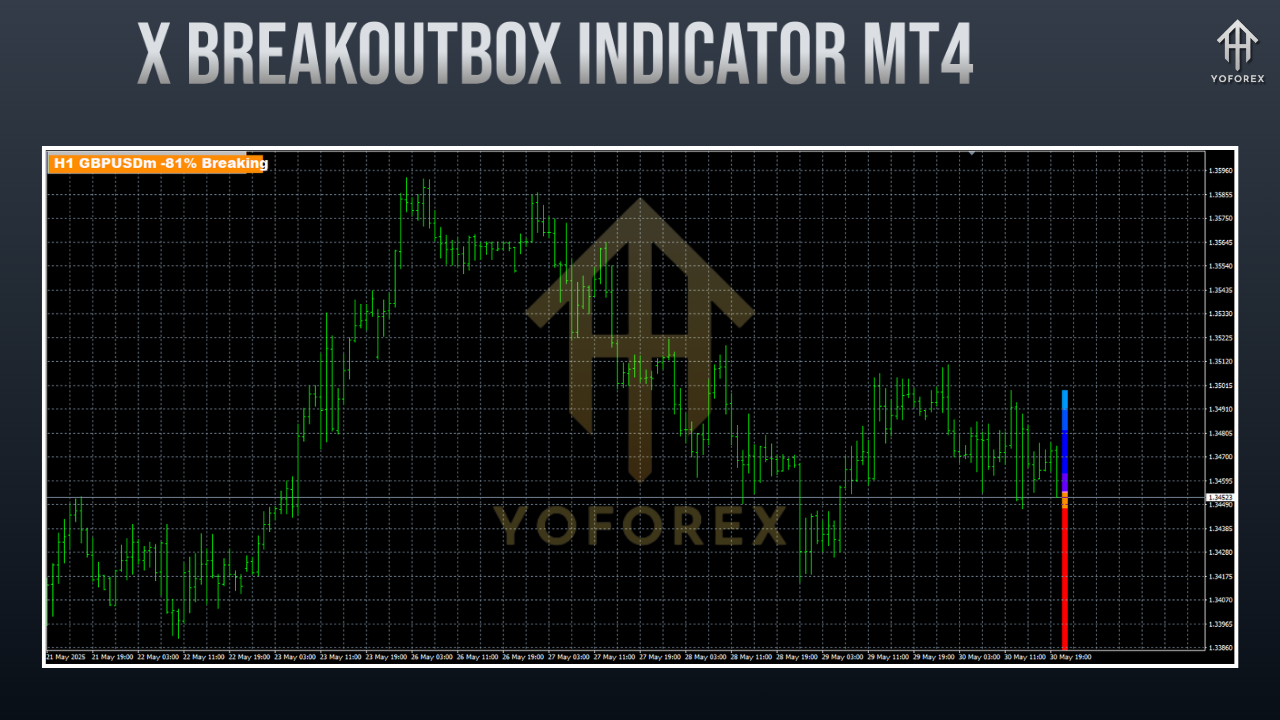
How the Indicator Works: A Step-by-Step Guide
Trading with X BREAKOUTBOX is straightforward and intuitive. Here's how it functions:
- Select Your Session Time
Define the time window to observe (e.g., 00:00 to 05:00 server time for the Asian session). - Box Creation
The indicator scans this range and draws a rectangle connecting the high and low of that period. - Wait for Breakout
Monitor price action as it approaches or crosses the box boundaries. - Entry Planning
Based on your strategy, you can:
Enter immediately upon breakout
Wait for a confirmed candle close
Enter on a retest of the breakout level
- Risk Management
Use the box's dimensions for setting stop-loss and take-profit levels using risk-reward ratios.
Ideal Trading Conditions
This tool excels when used during volatile and high-volume periods, such as:
- London Session Open
- New York Session Overlap
- Major news releases
Best trading instruments:
- GBPUSD
- EURUSD
- XAUUSD (Gold)
- NASDAQ, Dow Jones, and S&P500 (indices)
Use M15 or M30 for fine-tuned scalping or H1 for broader range trading.
Real-World Performance: Backtest and Live Results
The YoForex team back-tested the indicator using a 6-month data set on:
- GBPUSD,
- EURUSD,
- XAUUSD
during the Asian-London breakout transition.
Backtest Insights
- Over 70% of breakout scenarios achieved a 1:1 or better reward-to-risk before retracement.
- Filtering entries by session and confirming with candlestick patterns further improved accuracy.
- On average, trades yielded 20–40 pips per breakout.
Live Account Performance
- Traders using the X BREAKOUTBOX have reported improved session planning.
- Combined with manual or EA entries, the tool helps capture early momentum surges.
- Particularly useful for prop firm challenges like FTMO or MFF, where rules demand low drawdowns and logical setups.
Example Use Case
Let’s say you trade XAUUSD during the London session.
- Set the indicator to map the Asian session (00:00–05:00).
- Watch the box appear just before the London open.
- Place a buy stop above the high, and a sell stop below the low.
- Add a 15–20 pip stop-loss and aim for a 1:2 or 1:3 RR.
This strategy has shown consistent wins due to the predictable nature of breakout behavior during market opens.
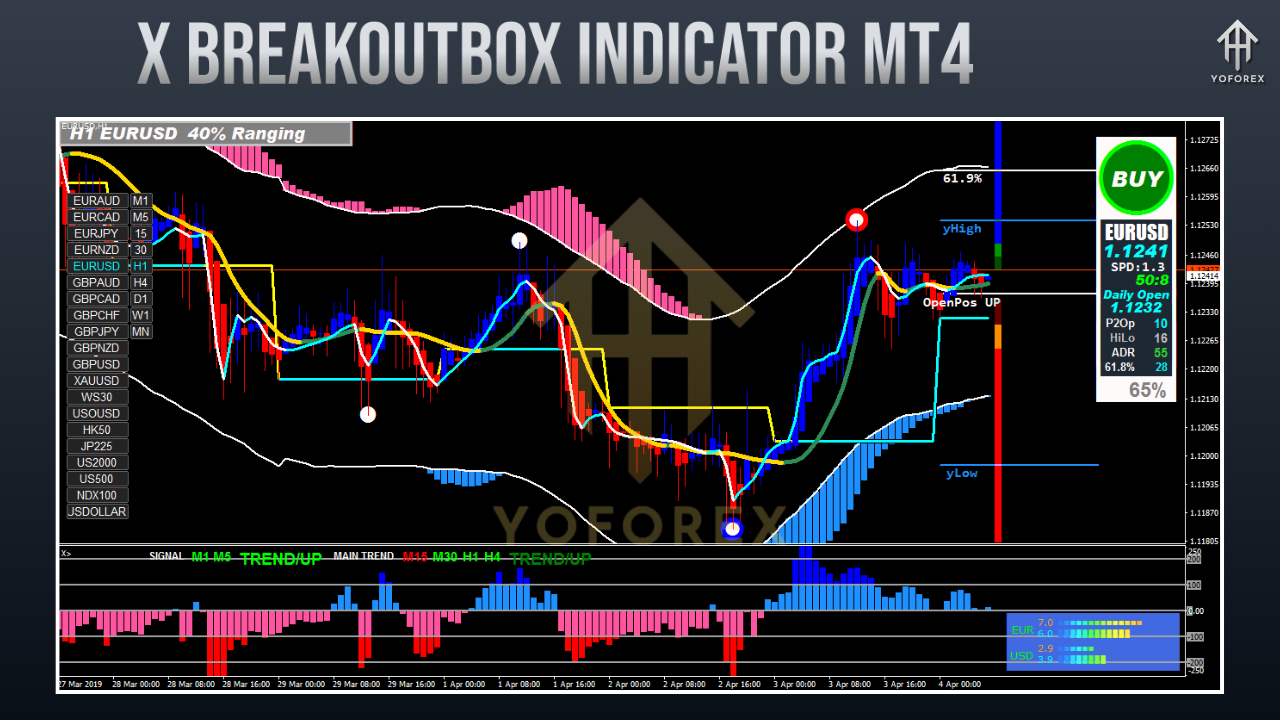
How to Install the X BREAKOUTBOX Indicator on MT4
Follow these easy steps to get started:
- Download the indicator from ForexFactory.cc → Indicator Section.
- Open MT4 → Go to File > Open Data Folder
- Navigate to MQL4 > Indicators
- Paste the .mq4 or .ex4 file into the folder
- Close and reopen MT4 (or refresh the Navigator panel)
- Drag X BREAKOUTBOX onto your desired chart
- Configure session times, box color, and style settings in the input panel
Additional Tips for Maximum Results
To get the most from X BREAKOUTBOX:
- Pair it with a volume indicator to confirm breakouts
- Watch for candlestick confirmations (e.g., engulfing candles)
- Use trendlines or moving averages for directional bias
- Avoid using during low volatility periods like holidays
- Keep your risk consistent—don’t overleverage just because the box looks “perfect”
Why Choose YoForex Tools?
The YoForex team behind this indicator offers transparency, reliability, and real-time support. Here’s what sets them apart:
- Zero Cost: Lifetime free tools—no renewals or subscriptions
- Real Trader Testing: All tools are used and validated in live market environments
- Community Support: Help via Telegram and WhatsApp
- Regular Updates: Tools are updated based on actual trader feedback
- Prop Firm Friendly: Built with strict money management and logic in mind
Need Help or Have Questions?
YoForex provides responsive support channels for any assistance:
- WhatsApp: Click to chat
- Telegram: Join our community
Whether you're having trouble with session setup or just want strategic suggestions, the team is always available during trading days.
Important Disclaimer
Trading forex involves significant risk. The X BREAKOUTBOX Indicator offers valuable insights but does not guarantee profits. It should be tested thoroughly on a demo account before deploying it on a live account. Use sound risk management and never trade money you can’t afford to lose.
Final Thoughts & Download Link
If you’ve ever struggled with second-guessing breakout entries, it’s time to stop trading blindly.
The X BREAKOUTBOX Indicator MT4 gives you a structured method to plan trades visually and confidently. Built for traders of all levels, it simplifies market analysis and helps you stay focused during key sessions.
Get Your Free Download:
Download now from ForexFactory.cc
No registration. No strings attached. Just a clear, effective breakout tool developed by YoForex—ready for your chart today.


Comments
Когда начинал ремонту, был уверен - ну интернет же, тут все есть. Как бы не так! Один утверждает наносить три слоя грунтовки, второй - что достаточно одного покрытия, третий вообще рекомендуют самодельные смеси использовать. Провел уйму времени, прежде чем отыскал нормальный список проверенных ресурсов. В нем систематизировали только проверенные источники - с правилами, опытом профессионалов и без этой коммерческой шелухи. Вот, может убережёте время Каталог будівельних сайтів
Leave a Comment