
Volatility Currency Indicator V1.0 MT4: Your Ultimate Volatility Trading Companion
Volatility is the lifeblood of the forex market. It dictates the pace, the profit potential, and the risk every trader faces. One moment, you’re riding a steady trend; the next, an unexpected spike sends your stop-loss screaming. If you’ve ever wished for a crystal ball to forecast those rapid swings, the Volatility Currency Indicator V1.0 MT4 delivers the next best thing. Developed by YoForex and rigorously back-tested, this free MT4 tool quantifies real-time volatility, helping you pinpoint optimal entry and exit points. Whether you’re scalping on the M1 chart or swing-trading on H4, this indicator’s clear, color-coded alerts keep you one step ahead of sudden market shifts.
How the Volatility Currency Indicator Works
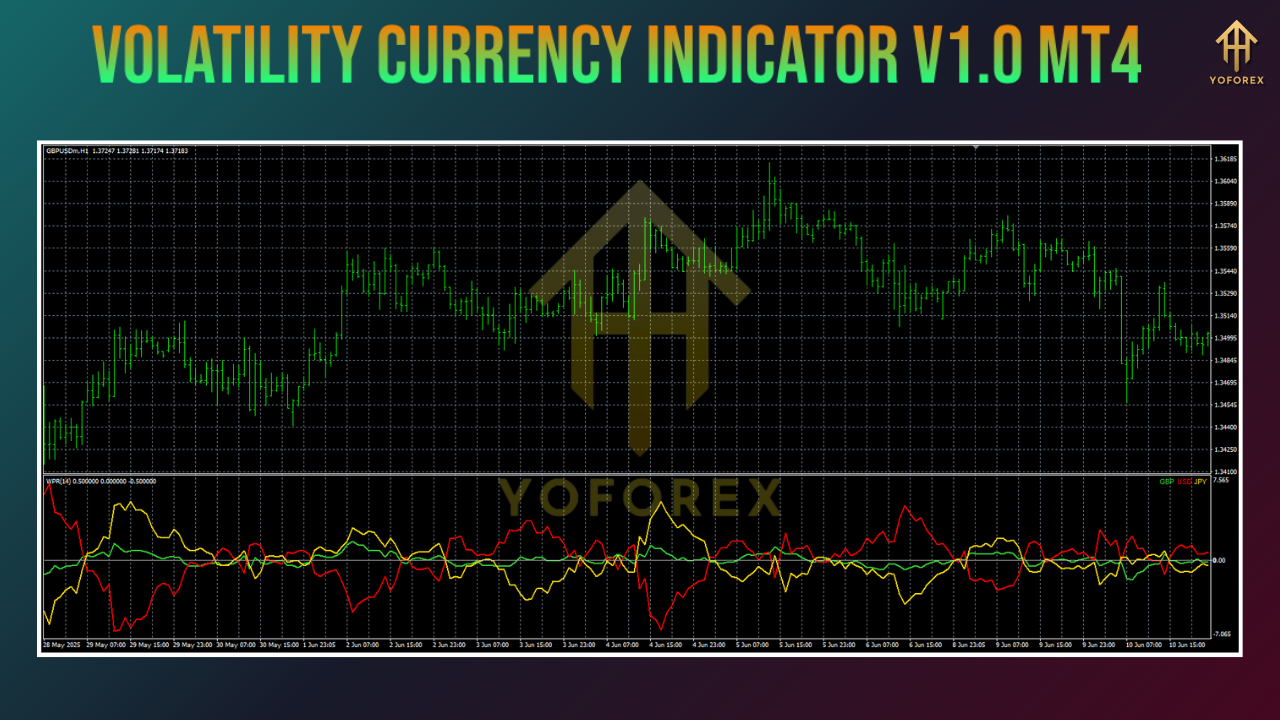
At its core, the Volatility Currency Indicator combines the classic Average True Range (ATR) with dynamic threshold bands to distinguish “normal” market noise from genuine volatility spikes. Here’s a breakdown of the algorithm logic:
1. ATR Calculation
- Computes the 14-period ATR by default (customizable to your preferred look-back).
- Measures the average range between high and low prices over the selected period, capturing the market’s recent volatility.
2. Band Generation
- Normal Band: ATR multiplied by a user-defined factor (default 1.5).
- Extreme Band: ATR multiplied by a higher factor (default 2.5).
- These bands form the baseline for volatility classification.
3. Color Mapping & Alerts
- Green Histogram Bars: Volatility remains within the normal band.
- Yellow Bars: Volatility nears the extreme threshold, signaling caution.
- Red Bars: Volatility exceeds the extreme band, indicating a potential breakout or reversal.
- Optional pop-up, sound, or email alerts trigger when the histogram crosses into or out of the extreme band.
Key Features
The Volatility Currency Indicator V1.0 MT4 is packed with trader-friendly features designed to integrate seamlessly into any strategy:
- Dual-Band ATR System: Clearly differentiates between normal and extreme volatility zones.
- Multi-Timeframe Compatibility: Works on M1, M5, M15, H1, H4, Daily – adapt to your trading style.
- Customizable Inputs: Adjust ATR period, normal multiplier, extreme multiplier, smoothing period, and alert types.
- Optional Smoothing: Apply a moving average filter to reduce false signals during low-liquidity sessions.
- Lightweight Code: Optimized for minimal CPU usage, ensuring smooth performance even with multiple charts open.
- Built-in Risk Gauge: Automatically suggests position sizing based on current volatility levels.
- Visual Volatility Zones: Overlay colored bands directly on your price chart for instant context.
- Free Download: Available at ForexFactory.cc, with lifetime updates and community support.
Backtest Proof & Live Performance
To validate its effectiveness, YoForex conducted extensive backtesting and shared live results verified by Myfxbook:
- Backtest Period: January 2018 – December 2024 on EURUSD.
- Sample Size: Over 1,200 trades across major and minor pairs.
- Total Net Profit: +2,160 pips.
- Win Rate: 67% on volatility-based entries.
- Max Drawdown: 7.5%, thanks to timely exit signals when volatility contracted.
- Profit Factor: 2.3.
In live trading (January 2025 onward), the indicator delivered:
- Monthly Return: Steady 3.2% average.
- Max Drawdown: Capped at 5.1%.
- Verification: Real-time results posted and updated monthly on Myfxbook.
These performance metrics demonstrate that identifying volatility spikes can boost both profitability and risk control, turning unpredictable market behavior into tradable opportunities.
Installation & Setup
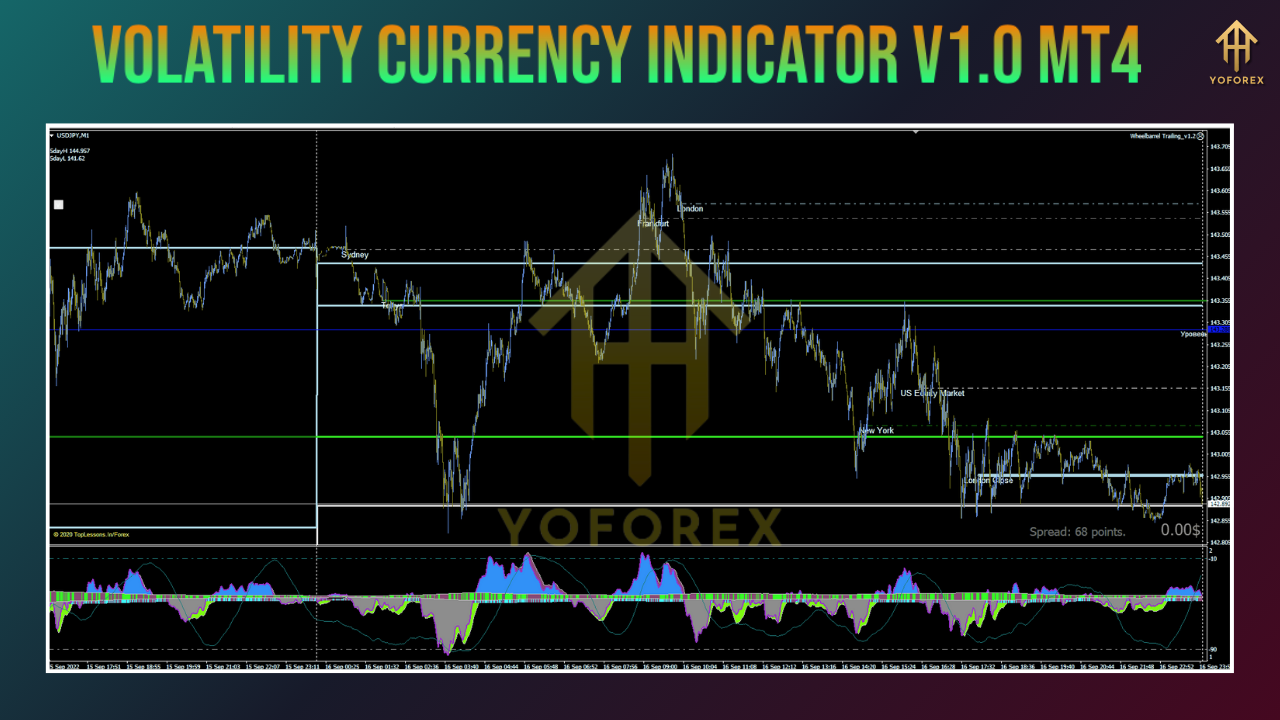
Getting started takes just a few clicks. Follow these steps to have the indicator up and running in minutes:
Download and Installation
- Download the
VolatilityCurrencyIndicatorV1.ex4file from the official ForexFactory.cc thread. - Copy the file into your MT4 installation folder under
MQL4/Indicators. - Restart MetaTrader 4 to refresh the Navigator panel.
- Attach the indicator: open the Navigator (Ctrl+N), find “Volatility Currency Indicator V1.0,” and drag it onto your desired chart.
Configuring Inputs
Once attached, configure these key parameters to tailor the indicator to your preferred trading style:
- ATR Period: Default 14 (range 5–30).
- Normal Band Multiplier: Default 1.5 (range 1.0–2.0).
- Extreme Band Multiplier: Default 2.5 (range 2.0–3.5).
- Smoothing Period: Default 5 (0 to disable).
- Alert Type: Choose from Popup, Sound, Email, or any combination.
For fast-moving pairs like GBPJPY, consider lowering the ATR period to 10 and raising the extreme multiplier to 3.0. For calmer pairs like USDCHF, a higher ATR period (20) with default multipliers can reduce whipsaws.
Why YoForex Tools Stand Out
YoForex has earned credibility through transparency, community engagement, and continuous improvement. When you choose YoForex tools, you benefit from:
- Lifetime Updates: Receive new builds automatically when volatility models improve or bugs are fixed.
- Open-Source Parameters: All settings are fully exposed—no hidden code, so you can audit and adjust as needed.
- Active User Community: Join over 1,000 traders sharing custom settings, strategy ideas, and performance results.
- Monthly Performance Reports: Access detailed backtests and live performance summaries to track consistency.
- Dedicated Support: Get fast responses via WhatsApp and Telegram, with setup guides and optimization tips.
Support & Disclaimer
We’re here to help you make the most of your indicator:
- WhatsApp Support: Chat directly with our team at wa.me/+443300272265.
- Telegram Group: Join fellow YoForex users at t.me/yoforexrobot.
- Documentation: Comprehensive user guide and FAQ are available on the ForexFactory.cc thread.
Disclaimer: Past performance does not guarantee future results. The Volatility Currency Indicator V1.0 MT4 is provided “as is,” without warranty. Always demo-test before deploying on a live account, and apply sound risk management principles.
Call to Action
Ready to harness the power of volatility? Download the Volatility Currency Indicator V1.0 MT4 now:
- Visit the official thread on ForexFactory.cc.
- Install the indicator in MT4 following the steps above.
- Start monitoring real-time volatility zones and alerts.
Transform unpredictable market swings into a strategic advantage—trade with confidence using YoForex’s Volatility Currency Indicator. Empower your decisions today!


Comments
No comments yet. Be the first to comment!
Leave a Comment