
Signatum EA V5.0 MT5 — A Practical, Rules-Driven Robot for Consistent Forex Execution
Signatum EA V5.0 for MetaTrader 5 is an automated trading system designed to remove guesswork from day-to-day execution by following a clear, rules-based methodology. Instead of relying on impulses or screen time, the EA scans market structure, momentum, and volatility conditions, then places and manages trades according to predefined logic. It’s engineered for traders who want disciplined entries and exits across multiple major pairs without constant manual supervision.
Supported pairs: EUR/USD, GBP/USD, USD/JPY, USD/CHF
Recommended timeframes: M5, M15, H1
This review explains how Signatum EA V5.0 MT5 works, what settings matter, how to approach risk, and how to test and optimize it responsibly before going live.
What the Strategy Aims to Do
At its core, Signatum EA V5.0 seeks to capture directional moves while filtering out low-quality setups. It typically combines three building blocks:
- Market Structure & Trend Bias
The robot identifies short-term trend direction by reading swing highs/lows and moving-average alignment. Only trades that align with the dominant bias are considered, helping reduce whipsaw during choppy sessions. - Momentum Confirmation
Momentum filters (e.g., slope strength, candle range expansion, or oscillator confirmation) validate that price has actual follow-through rather than noise. This layer is crucial on fast charts like M5/M15. - Volatility-Aware Risk Controls
Adjustable ATR-based stops and dynamic take-profit targets adapt to changing volatility so positions have enough room to breathe without bloating risk.
The combination is designed to enter with trend, avoid fading strong moves, and let winners extend while cutting losers decisively.
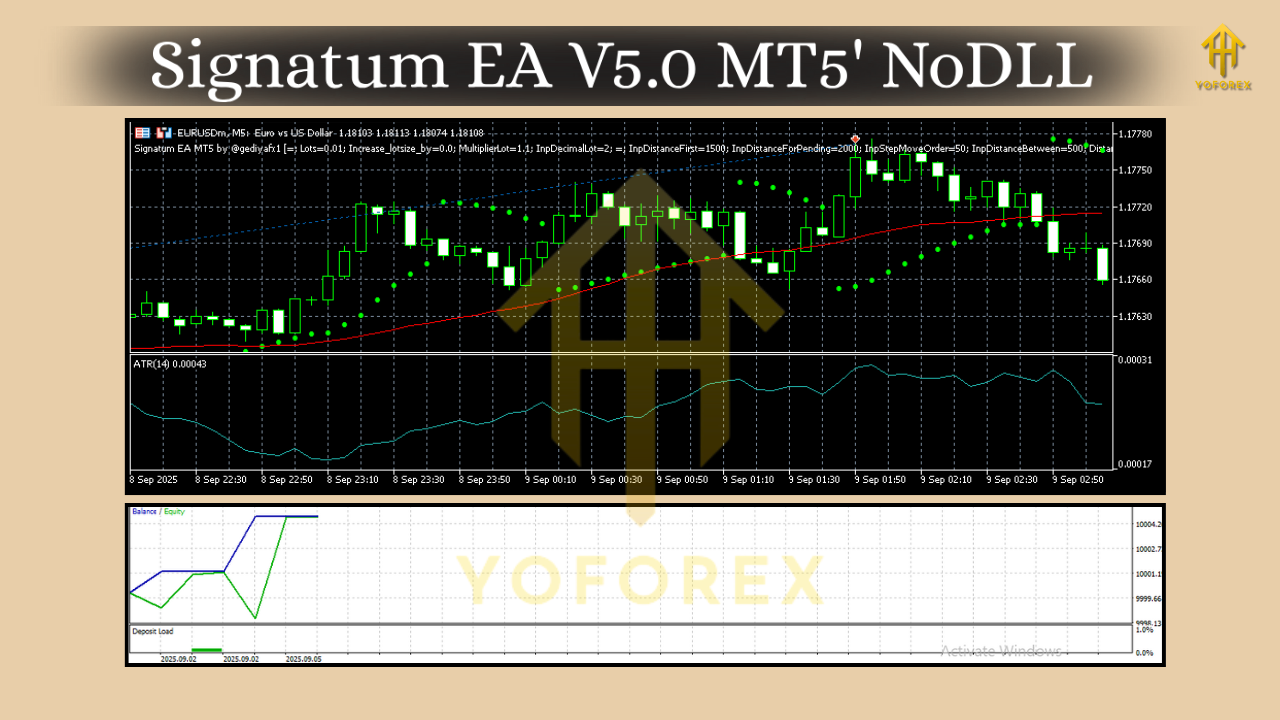
Trade Management: How Positions Are Handled
Signatum EA V5.0 MT5 focuses on systematic management once a position is open:
- Initial Stop-Loss (SL): Usually derived from ATR or structure (e.g., recent swing). This ensures placement beyond typical noise.
- Take-Profit (TP): Can be fixed-ratio (e.g., 1.5R–2R) or dynamic, adapting to volatility and recent range behavior.
- Trailing Stop: Optional. A step-based or ATR trailing feature can lock in gains after price moves favorably.
- Break-Even Logic: After reaching a configurable buffer (for example, +1R), the EA can move SL to entry to limit downside.
- Trade Filters: Time filters (to avoid illiquid hours), spread filters (to block high-cost entries), and optional news filters (to avoid scheduled volatility) can be enabled as part of a conservative profile.
Timeframes & Pairs: Where It Fits Best
Signatum EA V5.0 supports M5, M15, and H1 and is calibrated for EUR/USD, GBP/USD, USD/JPY, and USD/CHF. Each pair/timeframe has different behavior:
- M5: Higher frequency, more noise. Use conservative lot sizes, tighter max-spread, and stricter news filters.
- M15: Balanced signal quality vs. frequency; a solid default for many traders.
- H1: Fewer trades but more robust trends; give trades more room (wider SL/TP multiples), and consider a gentler trailing stop.
Pair nuances:
- EUR/USD: Typically tight spreads; good for all three timeframes.
- GBP/USD: Stronger swings; favor slightly wider stops and avoid low-liquidity hours.
- USD/JPY: Responds well to momentum; watch Asian session dynamics and session overlaps.
- USD/CHF: Often steadier; align risk with its generally lower average daily range vs. GBP pairs.
Position Sizing & Risk Management
Risk controls are the difference between a promising strategy and a sustainable one:
- Risk Per Trade: 0.5%–1% is a prudent starting point, especially on M5/M15. H1 traders may afford up to 1% if testing supports it.
- Daily Loss Guard: Set a max daily drawdown (e.g., 3%–5%). If hit, the EA stops initiating new positions.
- Equity Curve Filter (optional): Pause trading if recent performance dips past a threshold.
- Lot Sizing: Start with fixed lots for forward testing; switch to risk-based (e.g., percent-of-equity) once you’re confident in the parameters.
Installation & Setup (MT5)
- Install Files: Place the EA in
MQL5/Expertsand restart MT5. - Attach to Chart: Open the target pair and timeframe (e.g., EUR/USD M15) and drag the EA onto the chart.
- Enable Algo Trading: Ensure AutoTrading is on.
- Configure Inputs:
- Risk mode: Fixed lot vs. percent risk
- SL/TP mode: ATR-based or fixed points
- Trailing/Break-Even: On/off and thresholds
- Filters: Spread cap, trading window, optional news avoidance
5. Broker Conditions: Prefer low spreads, fast execution, and minimal slippage. An ECN-style account with a reliable VPS helps keep latency low.
Backtesting & Optimization Workflow
To make informed decisions:
- Data Quality: Use high-quality tick data where possible.
- Representative Periods: Test across multiple market regimes (quiet, trending, volatile).
- Walk-Forward Approach: Optimize on one segment, validate on a different segment.
- Robustness Checks:
- Small randomization of spread/slippage
- Parameter perturbations (±10%–20%)
- Monte Carlo analysis on sequence of trades
Avoid curve-fitting. Consistency across samples typically matters more than a single stellar test.
Practical Parameter Ideas (Starting Points)
These are illustrative ranges—refine through testing:
- ATR Period: 10–20; SL multiple: 1.2–2.0; TP multiple: 1.5–2.5
- Trend Filter MA: 50–100; Momentum lookback: 5–14 bars
- Spread Limit: Pair-specific; for EUR/USD aim for a tight cap, slightly higher for GBP/USD
- Trading Hours: Focus on London & NY overlaps for momentum entries; reduce activity into major news if you enable the news filter
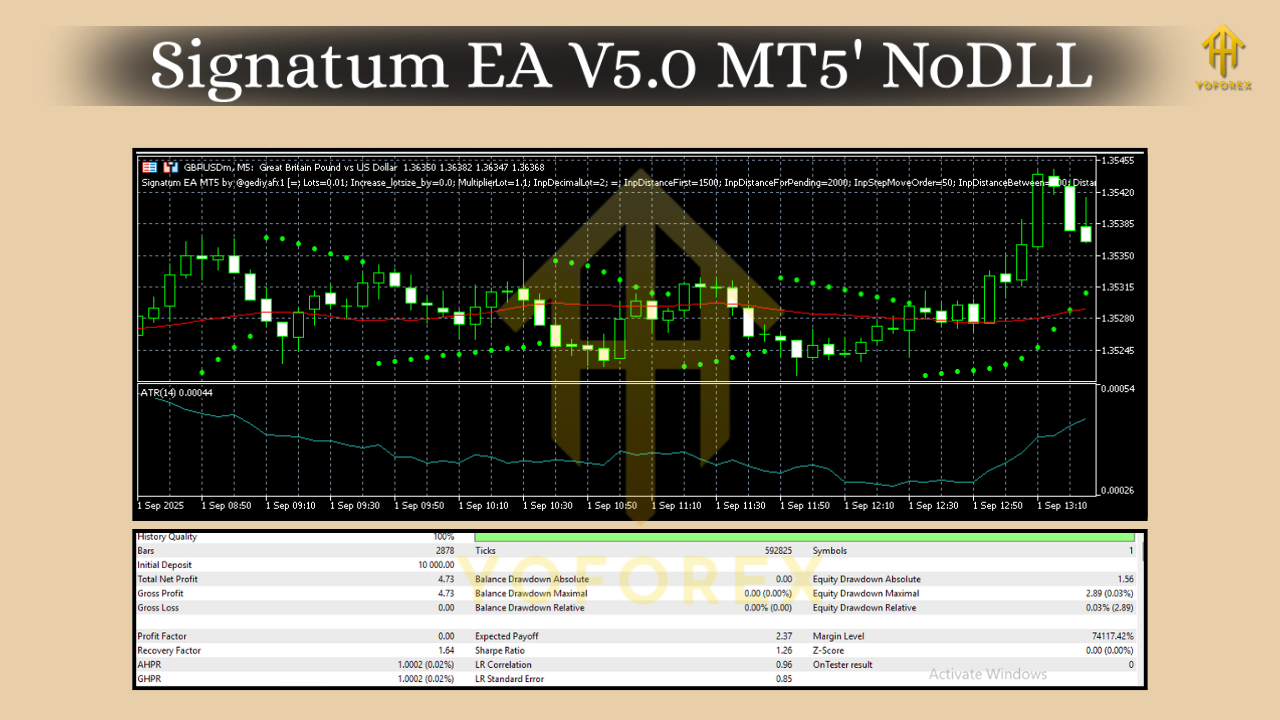
Strengths & Limitations
Strengths
- Rule-based execution reduces emotional trading and overtrading.
- Multi-pair, multi-timeframe coverage provides diversification.
- Volatility-adapted risk helps during fast markets.
- Clear management logic (SL/TP, trailing, break-even) supports consistent outcomes.
Limitations
- Performance depends on broker conditions (spread, slippage, execution).
- Choppy, low-volatility sessions can still produce false starts.
- News spikes may cause gaps or slippage even with filters.
- Requires continuous monitoring of risk and occasional parameter refinement.
Who Is It For?
- Newer algorithmic traders who want a turnkey, rules-driven EA to learn proper risk and process.
- Experienced users who value diversification across pairs and timeframes and want a disciplined, trend-plus-momentum framework.
- Prop-firm or funded-account aspirants who need daily loss guards, equity protections, and repeatable execution (after thorough demo and forward tests).
Responsible Use & Next Steps
- Demo First: Run the EA on demo for several weeks to see live spreads, swaps, execution quality, and signal cadence.
- Iterate: Adjust SL/TP multiples, filters, and trade windows per pair/timeframe.
- Go Small Live: Start with minimal risk, then scale only after stable results.
- Maintain a Log: Track metrics (win rate, average R, max drawdown, profit factor) to identify when to pause or tweak.


Comments
No comments yet. Be the first to comment!
Leave a Comment