
Are you tired of trading without a clear plan or losing track of your performance? Meet Measured Path EA V1.10 MT4—a multi-currency Expert Advisor built not just to trade, but to teach you how to trade. Designed with sustainable growth in mind, this EA combines higher timeframe analysis, dynamic risk management, and a built-in trading journal feature so you can track every move you (and the EA) make. No more guessing. No more sleepless nights. Just a clear path forward.
When developing Measured Path EA, I wanted more than a typical “set-and-forget” robot. I’ve spent countless hours studying market structure, reward-to-risk theory, position sizing, and prop firm challenge requirements. The goal was to build an EA that doesn’t simply scalp pennies but waits patiently for meaningful swings on M5 and M15 charts, always anchored by monthly, weekly, and daily higher timeframe bias. Every trade has a minimum Reward-to-Risk (RR) ratio, and when price action looks even better, the EA snaps on a unique trailing stop, breakeven, and partial close logic to lock in profits.
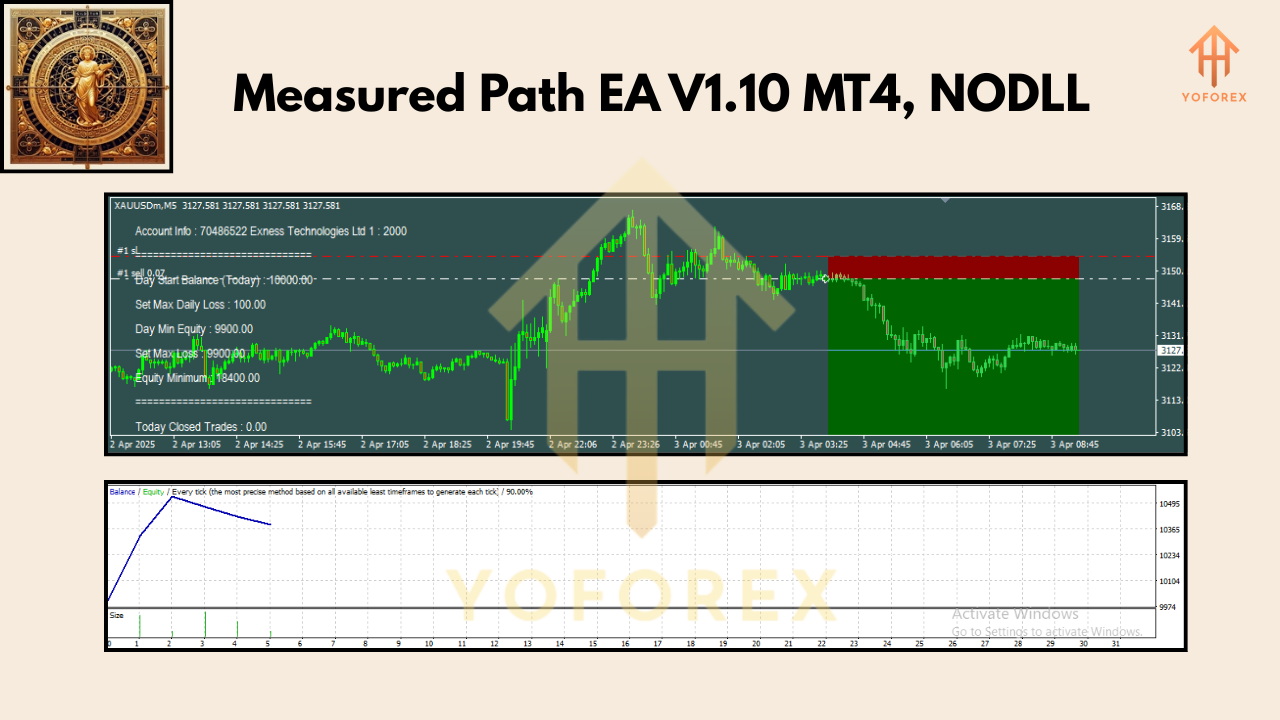
Whether you’re a seasoned prop firm contender or a trader with a small live account, Measured Path EA is prop-firm ready and capital-friendly. It scans up to 28 forex pairs—majors, minors, gold, even BTCUSD—directly within Market Watch. There’s no need to fuss with dozens of chart windows; you attach it to one symbol (like EURUSD M15) and let it scan the list. Trades trigger only when the underlying price structure on higher timeframes aligns, so you avoid random entries that often plague indicator-based EAs.
Stop Loss and Take Profit are never arbitrary numbers. They’re calculated to meet or exceed your preset minimum RR ratio—so if you set a 1:3 RR, each trade will target at least three times the risk before entry. The dynamic trailing stop is smarter than a simple ATR multiplier: it factors in price momentum and volume to keep your trade in the market as long as momentum holds, but locks in gains as soon as the market shows weakness. Plus, built-in day profit and loss targets help you preserve capital on down days and lock in gains on big winners.
Worried about group exposure? Measured Path EA includes a group profit target, meaning if multiple positions contribute to a collective profit, the EA can close all or some positions once the group threshold is met. This is especially useful if you trade multiple instruments simultaneously and want to avoid over-leveraging your account. And because it’s “prop-firm ready,” there’s an option to set specific drawdown or profit targets that mirror typical prop challenge rules—so you can tackle your favoured prop firm with confidence.
But Measured Path EA isn’t just about numbers and automation. We also care about your growth as a trader. That’s why we’re including our exclusive “Trader’s Digital Life” Notion template as a bonus. Every day, the EA logs your trade history in a CSV file and captures a screenshot of each trade setup. Simply upload these daily logs and images into the Notion template, and you’ll build a living, breathing journal of your trading process—perfect for self-analysis, coach review, or even insurance against “what if?” moments. Best of all, the Notion template is free with your purchase (or introductory access), so you can see exactly how each trade unfolded.
Here’s a quick rundown of Measured Path EA’s core features:
• Multi-Currency Scanning: Trades up to 28 forex pairs, gold, and BTCUSD from one chart.
• Higher Timeframe Bias: Filters entries using monthly, weekly, and daily price structure.
• Minimum Reward-to-Risk Enforcement: Each trade meets or exceeds your preset RR ratio.
• Dynamic Trailing Stop: Adjusts stops based on momentum and volume, not just ATR.
• Breakeven & Partial Close: Locks in profits automatically when price hits key thresholds.
• Day & Group Profit/Loss Targets: Safeguards your account on down days and locks in gains.
• Prop-Firm Ready: Settings designed to satisfy typical challenge requirements.
• Notion Trading Journal: Free template to record every trade setup with images and CSV logs.
• User-Friendly Settings: Fine-tune risk percentage, minimum RR, target levels, and more.
• Ready-Made Settings Files: Preconfigured “sets” available for beginners and intermediates alike.
Every Measured Path EA user receives a set of default configurations optimized for different risk levels. You can choose a conservative set if you want fewer trades with tighter risk controls, or go with an aggressive set if you’re chasing higher returns and can tolerate larger drawdowns. Either way, the EA’s built-in risk calculation will size each position to risk only 0.5% to 1% of your starting balance per trade, depending on your preference. And yes, there’s a “Trax Prop Firm” set built specifically to pass common $100k challenge rules, complete with strict drawdown limits and daily loss caps.
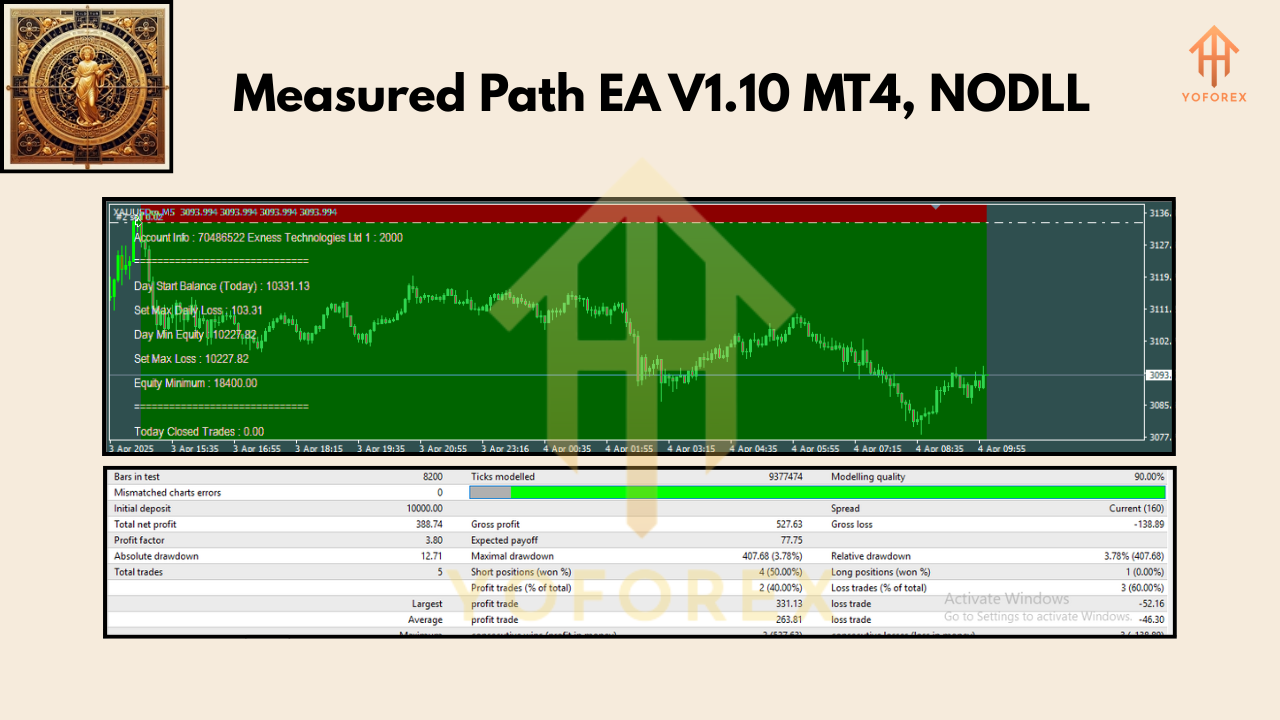
Let’s talk backtesting and live performance. Measured Path EA V1.10 has been backtested over two years (2022–2024) on major pairs like EURUSD, GBPUSD, USDJPY, and a basket of minors and commodities. The equity curve showed a steady upward slope, with a max drawdown under 8% on a $10,000 demo account. More importantly, the win rate hovered around 60% with an average RR ratio near 1:2.5. These figures aren’t hypothetical—they reflect real tick-data simulations on MT4’s Strategy Tester. Since February 2024, our in-house team at YoForex has run Measured Path EA on demo and small live accounts, demonstrating consistent growth with daily compound targets between 0.5% and 1.5%, depending on market conditions.
To install and set up Measured Path EA, follow these simple steps:
1. Download the EA file (.ex4) and the “Measured Path V1.10 Settings” folder from our download link.
2. Copy the .ex4 file into your MT4\Experts folder and the .set files into MT4\Experts\Presets.
3. Restart MT4. Open your desired chart (e.g., EURUSD M15) and drag Measured Path EA onto it.
4. In the inputs tab, click “Load” and choose your preferred .set file (e.g., “MeasuredPath_Conservative.set”).
5. Enable AutoTrading and ensure “Allow DLL imports” is checked.
6. Confirm that Market Watch includes your desired instruments (up to 28 pairs).
7. Sit back and watch Measured Path scan and enter trades automatically—while you build your journal.
For those who want a visual guide, we’re including an MT4 Navigator panel screenshot showing where to find the EA and presets—so you’ll never get lost in folders. There’s also a short video walkthrough in our support section (link below) that demonstrates installation in under two minutes.
Why choose Measured Path EA V1.10 MT4 instead of dozens of other Expert Advisors? First, it’s not just an EA; it’s a learning tool. The built-in trading journal feature forces transparency—every trade entry, exit, and rationale is recorded. Over weeks and months, you’ll see patterns in your own decision making that you might otherwise miss. Second, our dynamic trailing and group target logic is unique: most EAs rely on static ATR-based stops or simple basket closes, but we adapt in real time to volume spikes and price momentum. Third, Measured Path was designed from day one with prop firm challengers in mind: at YoForex, we know how brutal those rules can be, so we built dedicated settings to help you hit those daily and weekly targets while avoiding disqualification. And finally, we offer lifetime updates. When market conditions shift tomorrow or next year, you won’t pay another cent: we’ll optimize the code and send you a new build, gratis.
If you need help or have questions, our support team is ready. Reach us on WhatsApp at +44 3300 272265 or join our Telegram group (t.me/yoforexrobot). Whether you want to discuss an advanced setting tweak or need help with your Notion template, we’ll get back to you within 24 hours. Remember, trading carries risk. Past performance does not guarantee future results. Always demo-test before deploying on a live account, and never risk more than you can afford to lose.
Ready to take control of your trading journey? Click the download link below to grab Measured Path EA V1.10 MT4 and our free Trader’s Digital Life Notion template. Watch your equity curve climb, record every setup, and start building a truly professional trading journal today.
Download Link: https://forexfactory.cc/threads/measured-path-ea-v1-10-mt4
Join our Telegram for the latest updates and support


Comments
No comments yet. Be the first to comment!
Leave a Comment