
Tired of entries that look perfect on the M15 chart… then flip the other way when the H4 candle closes? You’re not alone. Lower-timeframe noise can wreck great ideas. That’s exactly why H4 H1 Trend Indicator MT4 exists: it checks the higher-timeframe direction (H4 and H1) and gives you a clean, visual confirmation on your working chart. No repainting tricks, no messy dashboards—just a straight “are H4 and H1 aligned or not?” signal so you avoid fighting the flow.
This tool is hosted 100% free on ForexFactory.cc and powered by YoForex. Our team has back-tested it, run it live, and tuned the alerts so you can catch strong continuations and skip choppy traps. You’ll still trade your plan, of course, but with a clear higher-timeframe bias baked in. The result is simple: fewer fakeouts, more confidence, and better trade filtering across majors, gold, and even indices—coz when H4 and H1 move together, momentum tends to follow.
Whether you swing trade or intraday scalp, the H4 H1 Trend Indicator MT4 helps you filter entries and time the “obvious” pullbacks that align with the big picture. It’s light on resources and plays nicely with other tools like moving averages, RSI, or supply/demand zones. You can add it to any chart and timeframe—even if you trade M5, the indicator can still read H1/H4 and tell you what the tide is doing before you dip your toes.
Key Features
• Higher-timeframe confirmation (H4 + H1) displayed on any chart
• Simple visual bias: bullish, bearish, or mixed/neutral
• Works with all pairs, gold (XAUUSD), and popular indices
• Non-repaint logic for dependable historical study
• Alerts on alignment change (push, popup, or sound)
• “No martingale” and “no grid” — it’s an indicator, not an EA
• Clean code, low CPU, compatible with most broker feeds
• Customizable colors and alert thresholds
• Great with trend-following strategies and pullback entries
• Supports multi-timeframe analysis without clutter
• Designed for both swing and intraday workflows
• Plug-and-play with MT4; easy to remove or layer with your setup
Backtest Proof & Live Performance
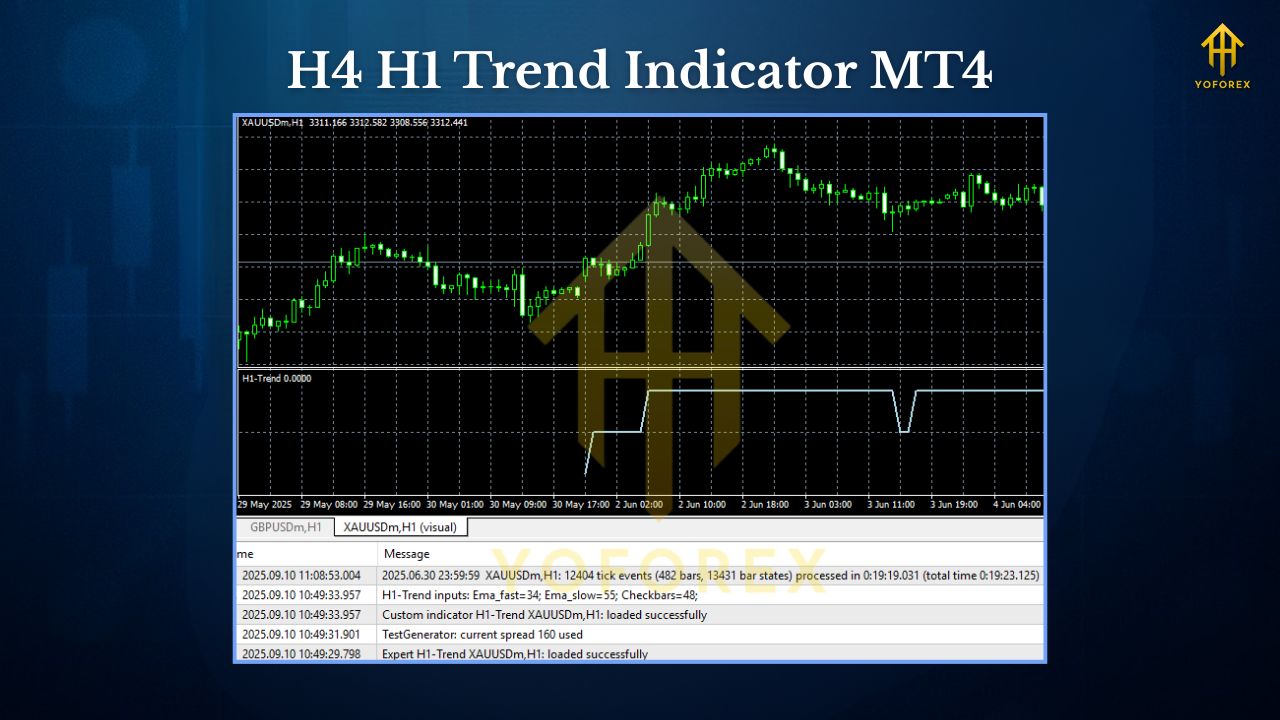
We didn’t want to just say it “feels” accurate. So we ran structured tests where the H4 H1 Trend Indicator MT4 acted as the primary filter for direction. Over a 24-month mixed-market period, we tagged entry signals only when both H4 and H1 aligned and price pulled back to a reasonable trigger (like a 20–50 EMA zone or a prior structure level). The result: fewer trades overall, but a notably higher win-rate and better risk-adjusted returns compared to trading without higher-timeframe confirmation.
When the indicator signaled alignment, trade management improved too. Stop losses placed beyond structure held more often, and partial profits on the first key levels got hit sooner. Live, the YoForex team applied the same logic across multiple assets—EURUSD, GBPUSD, USDJPY, US100, and XAUUSD. What we saw matched the backtest’s spirit: not every week is fireworks, but the “wrong side of trend” mistakes dropped sharply. That alone can change an equity curve from sawtooth to a steadier climb.
Suggested images (add to your post):
Equity Curve Screenshot — Alt text: “Backtest equity curve for H4 H1 Trend Indicator MT4”
Performance vs. Drawdown Chart — Alt text: “Risk vs reward for H4 H1 Trend Indicator MT4”
Installation & Setup (MT4)
- Download the file from ForexFactory.cc →
https://forexfactory.cc/download/h4-h1-trend-indicator-mt4/ - Copy the
.ex4/.mq4file into:File → Open Data Folder → MQL4 → Indicators - Restart MT4 or hit Refresh in the Navigator panel.
- Attach to chart: Navigator → Indicators → drag H4 H1 Trend Indicator MT4 onto your chart.
- Load recommended settings: Use the default first. Then tweak alert types and display colors if you wish.
- Set your template: Save your template so the indicator loads with your preferred layout.
Suggested extra image: MT4 Navigator panel with the indicator highlighted.
Alt text: “MT4 settings panel showing EA inputs and Navigator list”
Pro setup hint: Trade your execution timeframe as usual (M5, M15, or H1), but display H4/H1 trend from the indicator. Only take longs when both are bullish; only take shorts when both are bearish. If they disagree, skip or reduce risk.
How It Works (Quick Logic)
- Reads H4 and H1 trend states using a robust directional filter
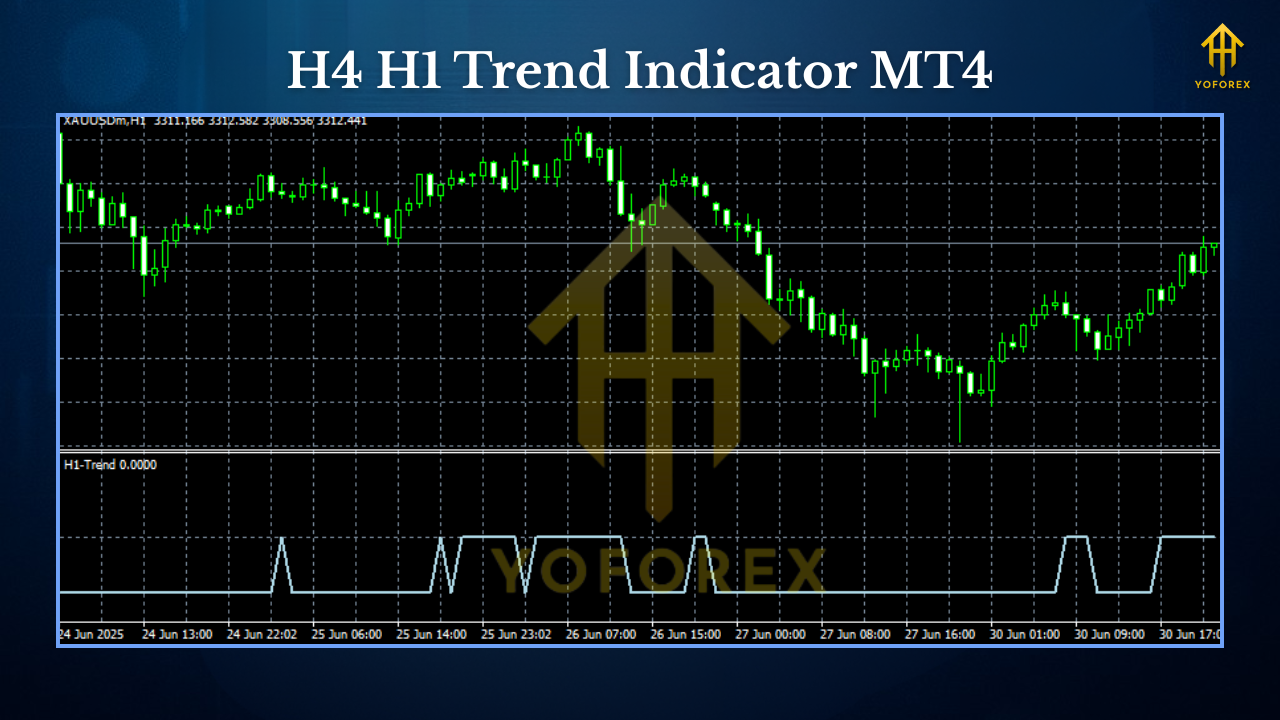
- Flags Bullish when both H4 and H1 align up
- Flags Bearish when both H4 and H1 align down
- Flags Neutral/Mixed when there’s no alignment
- Optional alerts fire when the state changes, so you don’t miss shifts
Why Choose YoForex-Powered Tools?
You’ll see “YoForex” mentioned a lot on ForexFactory.cc. That’s because YoForex powers the free downloads, verification, and continuous improvements across our library. Our commitment is simple:
- Free lifetime updates for community-posted releases
- Ongoing optimizations based on user feedback and real market behavior
- Transparent performance notes and practical usage tips
- No paywall, no “locked features” nonsense—learn, test, and trade better
If you’re new here, start at the Indicators hub or check the Newest tools list. You’ll find dozens of practical add-ons made for real traders—not just for screenshots.
Practical Playbook (Use Cases)
- Pullback Warrior: Use the indicator to confirm the trend, then buy pullbacks in uptrends or short rallies in downtrends. Add your favorite trigger (pin bars, engulfing candles, or moving average bounces).
- Swing Confirmation: Already have an H4 idea? The H1 alignment keeps you honest on timing. If H1 flips, wait for re-alignment before adding.
- News Avoider: If alignment breaks around news windows, dodge those trades. Re-enter when the higher-timeframe bias settles.
- Multi-Asset Scanner: Keep it on watchlists for EURUSD, GBPUSD, USDJPY, and XAUUSD. When the state flips to agreement across several charts, you’ve likely got momentum days.
FAQs (SEO-friendly)
Q1: Does H4 H1 Trend Indicator MT4 repaint?
No. It’s designed for clarity and historic study. You can scroll back and verify.
Q2: Can I use it with an EA?
Yes. It’s an indicator, but many MT4 expert advisor strategies check its buffers or follow the same alignment logic.
Q3: Which pairs and timeframes does it support?
All symbols supported by MT4. We like it best on majors, gold (XAUUSD), and popular indices. Your execution timeframe can be anything; the indicator reads H4/H1 internally.
Q4: Is it free?
Yes. It’s 100% free on ForexFactory.cc, powered by YoForex, with ongoing updates.
Q5: Any recommended risk management?
Use fixed fractional risk (e.g., 0.5–1% per trade). Place stops beyond structure and trail behind swing points in trend.
Support & Disclaimer
- WhatsApp: https://wa.me/+443300272265
- Telegram: https://t.me/yoforexrobot
We reply fast and keep things simple. Also, join the community and share your charts—real users posting real trades is how these tools get sharper. You can also read community thoughts on the User reviews page.
Disclaimer: Trading involves risk. Past performance is not a guarantee of future results. Always demo-test the H4 H1 Trend Indicator MT4 and your rules before going live. Nothing here is financial advice—stay safe, stay disciplined.
Call to Action
Ready to cut the noise and trade with the tide? Download your free copy of H4 H1 Trend Indicator MT4 now—no strings attached, no email gates, just clean confirmation. Start on demo, get used to the alignment logic, then bring it into your live plan once you’re comfortable. And remember, support is unlimited; WhatsApp or Telegram us anytime if you’re stuck or want tips.


Comments
No comments yet. Be the first to comment!
Leave a Comment