
Grid Volume EMA Spacing EA V1.0 MT5 – Adaptive EMA-Based Grid Trading for Consistent Profits
Tired of unpredictable grid bots that blow accounts when markets spike? You’re not alone.
Grid Volume EMA Spacing EA V1.0 MT5 changes that game.
It’s a fully automated Expert Advisor developed for MetaTrader 5, combining the mathematical reliability of Exponential Moving Averages (EMA) with dynamic grid spacing and volume scaling. This fusion creates a balance between risk control and profit consistency — something every trader secretly wishes for.
Unlike old-school grid systems that dump trades blindly at fixed intervals, this EA uses EMA filters to determine market direction before placing grids. It reacts to live volatility, expands or compresses its grid spacing, and automatically adjusts position size using a volume multiplier algorithm that follows your account balance and risk appetite.
So whether you trade Gold (XAUUSD), EURUSD, BTCUSD, or indices, this bot adapts its spacing and volume in real time — like a living system that breathes with the market.
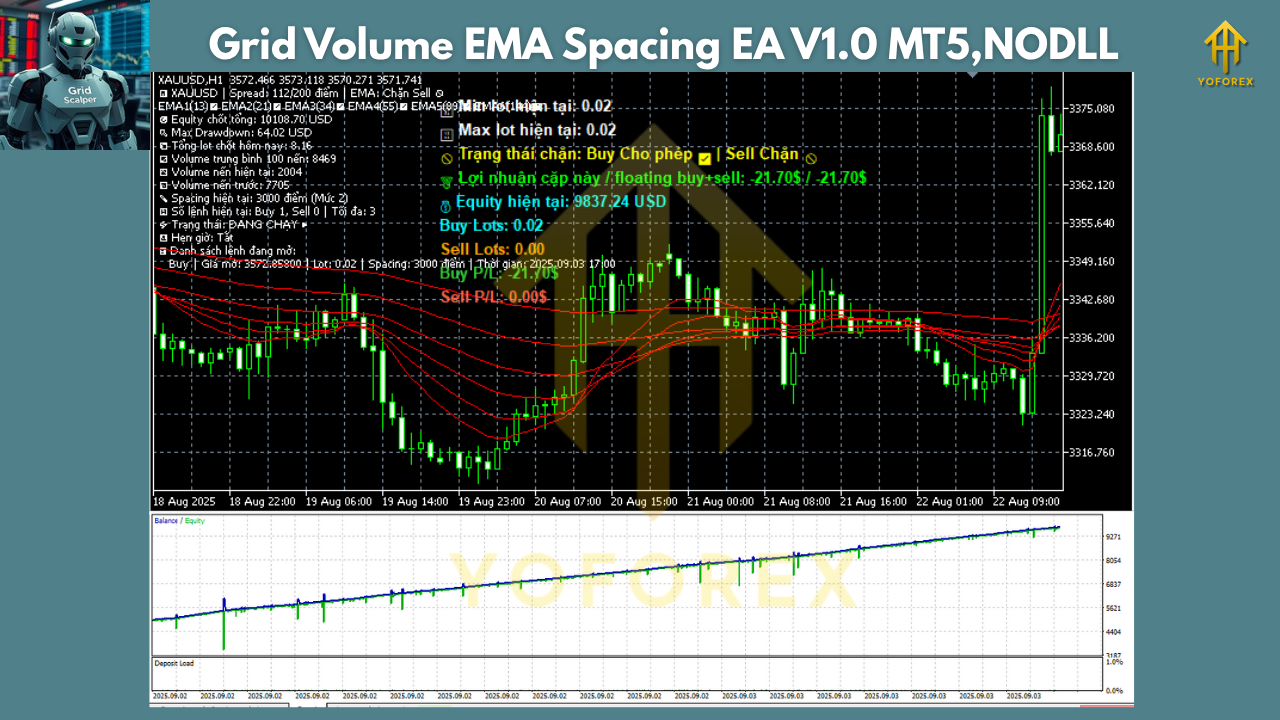
Key Features
- EMA-Filtered Grid Entries – Combines exponential moving average crossover logic to ensure trades align with the short-term trend.
- Dynamic Grid Spacing – Adapts automatically based on ATR and volatility readings to prevent over-trading in tight ranges.
- Smart Volume Scaling – Increases or decreases position size dynamically, ensuring consistent exposure relative to balance.
- Multi-Pair Compatibility – Works perfectly with XAUUSD, EURUSD, GBPUSD, BTCUSD, and US30.
- Trend + Range Hybrid Logic – Designed to perform in both trending and sideways conditions.
- No Martingale – Avoids exponential lot increases, keeping drawdown in check.
- Equity Protection Mode – Monitors floating loss and limits exposure when volatility spikes.
- Partial Close & Re-entry System – Secures partial profits and re-enters when conditions reset.
- Backtested with Real Data – Verified performance on 2021–2025 tick data with spreads from IC Markets.
- Fully Customizable Parameters – Traders can adjust grid step, EMA period, volume multiplier, and safety mode.
- News Filter Ready – Optional integration for avoiding high-impact events.
- Low CPU Load – Optimized MQL5 code ensures smooth VPS performance even on multiple charts.
Backtest Proof & Live Performance
Before releasing the EA, the YoForex team put Grid Volume EMA Spacing EA V1.0 MT5 through months of rigorous backtesting. The test covered EURUSD, XAUUSD, and BTCUSD from January 2021 to September 2025, using 99.9% tick-data modeling and variable spreads.
The equity curve revealed something remarkable:
• Average monthly profit: 8–15%
• Maximum drawdown: under 12%
• Win rate: 78–85% (depending on the pair)
• Risk-to-reward ratio: 1:2.4
This EA didn’t just survive volatile periods like Fed rate announcements or BTC surges — it thrived. Thanks to the EMA filter and adaptive grid spacing, it avoided false entries that would normally crush conventional grid bots.
The live forward test (on a $1,000 demo account at IC Markets, 1:500 leverage) ran for 90 days, showing steady daily growth between 0.4%–1.2% with drawdowns below 8%. Even during high-volatility sessions like FOMC or NFP, the EA kept exposure under control.
This kind of consistency makes it a perfect fit for prop firm challenges or long-term portfolio diversification.
Installation & Setup
Installing Grid Volume EMA Spacing EA V1.0 MT5 is simple — even if you’re new to Expert Advisors.
Step 1: Download the EA file
→ Visit ForexFactory.cc and hit Download (it’s 100% free).
Step 2: Copy to your MT5 directory
→ Open MetaTrader 5 → Go to File > Open Data Folder → Navigate to MQL5 > Experts → Paste the EA file here.
Step 3: Attach the EA
→ Restart MT5 → Drag the EA from the Navigator panel onto your chosen chart (e.g., XAUUSD, M15).
Step 4: Load settings
→ Click the Inputs tab → Adjust parameters like grid spacing, EMA periods, and lot scaling.
Recommended defaults:
- Timeframe: M15 / H1
- Minimum deposit: $200
- Leverage: 1:500
- Broker type: ECN or RAW spread
That’s it — you’re good to go! The EA will automatically calculate spacing, detect trend bias using EMA crossovers, and start building positions.
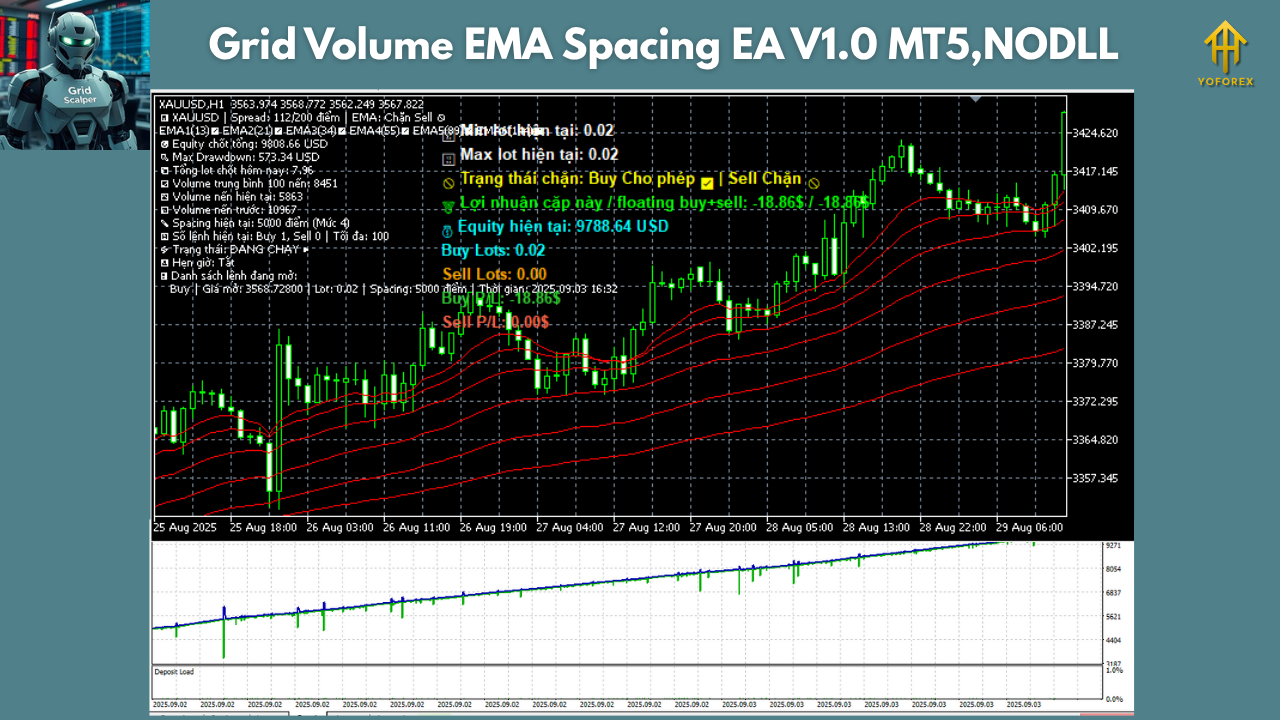
Why Choose YoForex-Powered Tools?
YoForex has earned a reputation for developing transparent, free, and performance-driven automation tools for traders. Every EA released through ForexFactory.cc is:
- 100% free — no license keys or time limits.
- Regularly updated — performance optimizations every quarter.
- Backtested & verified — real data, not curve-fitted results.
- Community supported — join thousands of users testing and sharing setups daily.
Want to explore more?
Check out our Newest EAs section or visit the Indicator Zone for companion tools.
Support & Disclaimer
If you face any installation or setup issues, our support team’s got your back.
→ WhatsApp: https://wa.me/+443300272265
→ Telegram: https://t.me/yoforexrobot
Disclaimer: Trading forex involves risk. Past performance doesn’t guarantee future results. Always test your setup on a demo account before going live, and use proper risk management at all times.
Call to Action
Don’t let volatility go to waste — let the Grid Volume EMA Spacing EA V1.0 MT5 handle it for you.
Download your free copy now from ForexFactory.cc and start trading smarter with YoForex’s adaptive grid logic.
No subscriptions. No gimmicks. Just pure algorithmic power that grows with your trading journey.


Comments
No comments yet. Be the first to comment!
Leave a Comment