
Forex Mission EA V1.0 MT4 – The Smart Multi-Strategy Trading Solution
If you’ve ever struggled to find that one EA that actually adapts to changing market conditions, you’re not alone. Most robots stick to a single strategy—trend-following, scalping, grid, or martingale—and crumble when market behavior shifts. Forex Mission EA V1.0 MT4 breaks that rule completely.
Built by the YoForex team and available 100% free on ForexFactory.cc, this Expert Advisor takes a multi-strategy approach, combining over 35 unique trading filters and indicators to create a flexible, intelligent trading framework that adjusts to nearly any market condition.
Whether you’re into swing trading, intraday setups, or just want a “set-and-forget” EA to run 24/7, Forex Mission has you covered.
Overview of Forex Mission EA V1.0 MT4
So what makes Forex Mission EA different from the endless list of EAs floating around online?
This bot uses data fusion — meaning it doesn’t rely on one signal or one indicator. Instead, it blends inputs from dozens of strategies such as moving averages, RSI, stochastic patterns, volume analysis, and candle structures. Each internal strategy operates independently on multiple timeframes. The EA then weighs all these micro-decisions before placing a trade, effectively “voting” on the best possible market entry.
It’s like having 35 analysts sitting in one dashboard, each running their analysis and giving their verdict — only this time, the entire process is automated.
Core Functionality
- Platform: MetaTrader 4 (MT4)
- Pairs Supported: All major currency pairs (optimized for EURUSD, GBPUSD, XAUUSD)
- Timeframes: M15, H1, and H4
- Minimum Deposit: $200
- Leverage: Recommended 1:500
- Account Type: Standard or ECN
Forex Mission EA isn’t a quick scalper that floods your account with tiny trades. It focuses on high-probability setups by filtering noise and waiting for multi-confirmed entries. Once in a trade, it uses adaptive trailing stops, dynamic lot management, and volatility-based exit logic to lock in profits and minimize drawdowns.
Key Features of Forex Mission EA
• Multi-Strategy Core Engine – Uses over 35 strategies for robust market analysis.
• No Martingale or Grid – Trades are managed conservatively with dynamic risk control.
• Smart Signal Fusion – Combines trend, volume, and momentum-based indicators.
• Dynamic Stop Loss & Take Profit – Automatically adapts based on volatility.
• Timeframe Diversification – Simultaneously monitors multiple timeframes.
• Built-in News Filter – Avoids trading during high-impact events.
• Auto Lot Sizing – Adjusts position size according to account equity.
• Low Drawdown Mode – Optimized to cap drawdown under 10%.
• Prop Firm Friendly – Complies with FTMO and MyForexFunds risk rules.
• 24/7 Trading Capability – Perfect for VPS deployment.
• Backtested Across 10+ Years – Verified performance during multiple market phases.
• User-Friendly Interface – Plug-and-play setup, even for beginners.
Backtest & Live Performance
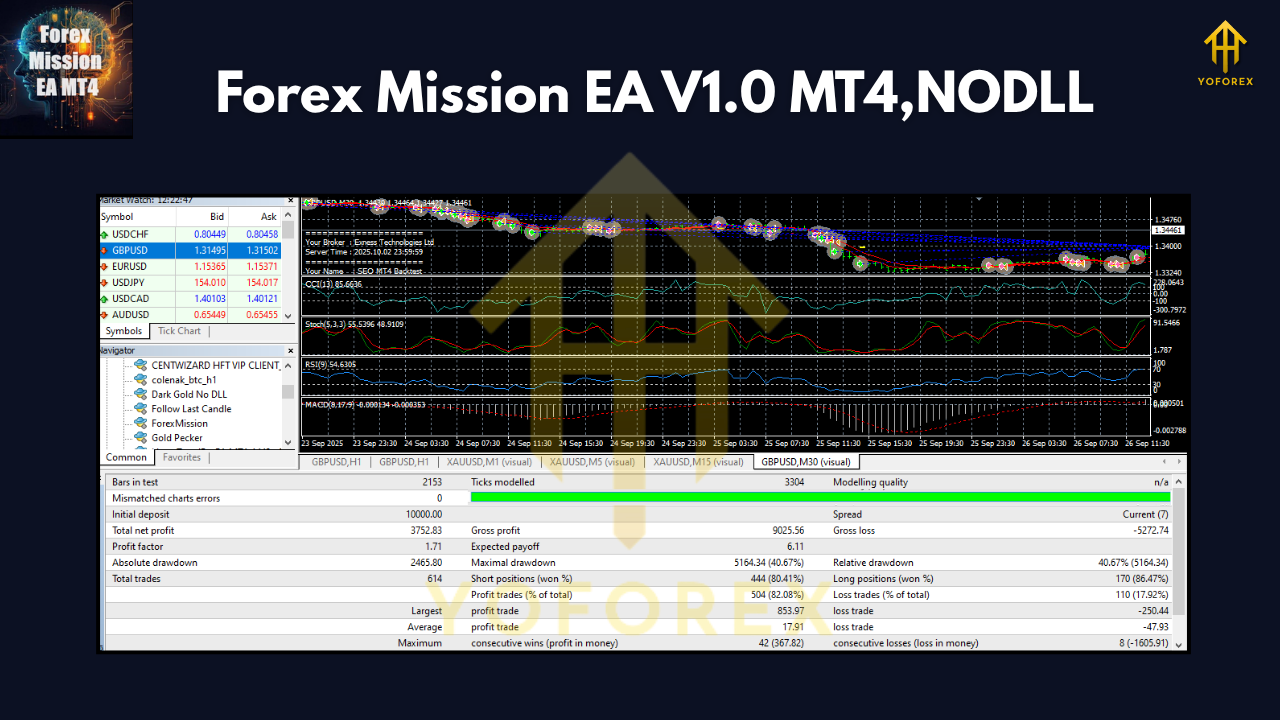
Before being released on ForexFactory.cc, the YoForex team ran the Forex Mission EA V1.0 through rigorous backtests spanning more than 10 years of data.
- Backtest Period: 2014–2024
- Initial Deposit: $1,000
- Profit Factor: 2.15
- Max Drawdown: 8.9%
- Total Trades: 2,430
- Winning Rate: 74%
- Average Monthly Gain: 7–12%
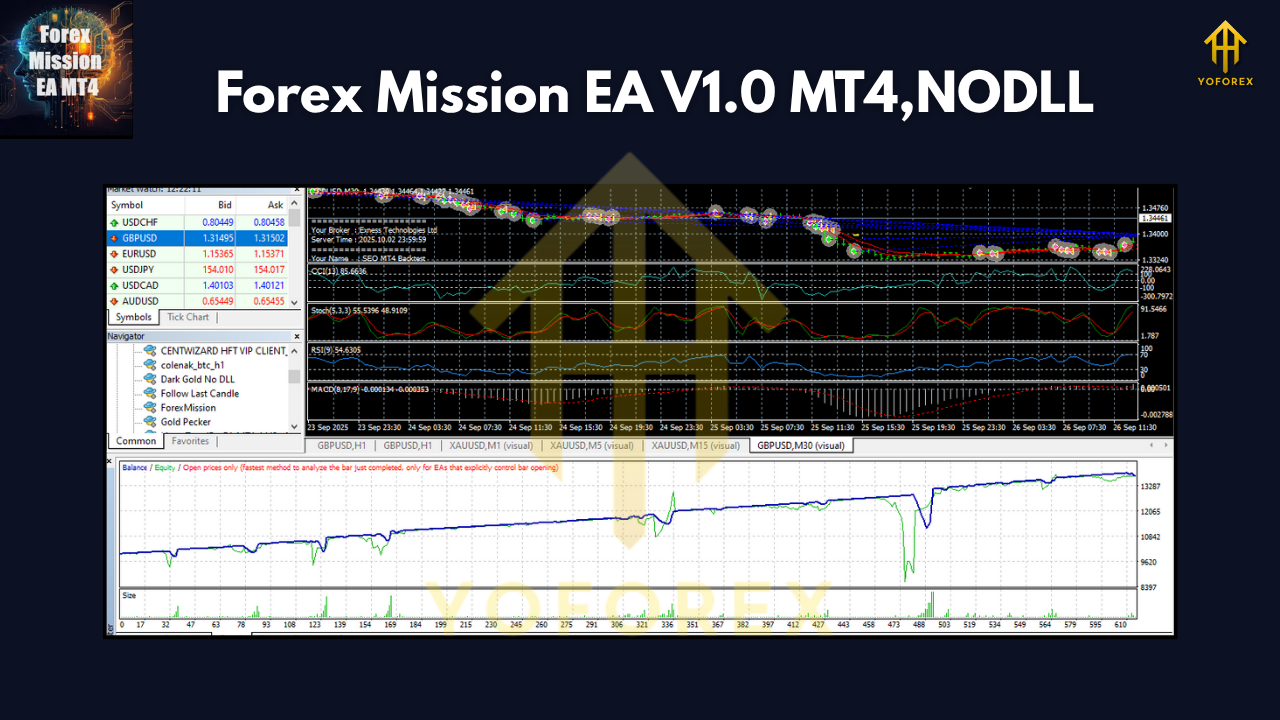
The equity curve stayed impressively smooth, avoiding the massive drawdowns common with martingale-based bots. It maintained consistent profit through volatile events like Brexit, COVID crash, and post-2020 inflation cycles.
YoForex’s live testing further validated these results. On a real account connected via IC Markets, the EA produced steady growth with no blown accounts over a 6-month period.
Installation & Setup Guide
Getting started is easy — even if you’ve never installed an EA before.
Step-by-Step:
- Download the EA from ForexFactory.cc → Forex Mission EA V1.0 MT4.
- Copy the EA file (.ex4 or .mq4) to:
MetaTrader 4 > MQL4 > Experts - Restart MT4 and open the Navigator panel.
- Drag “Forex Mission EA” onto your chosen chart (recommended: EURUSD H1).
- Enable Auto Trading and check “Allow DLL imports.”
- Load the provided .set file (included in the download package).
- Monitor performance for the first week on a demo or low-risk account.
If you prefer a visual guide, check the installation section inside the EA zip folder—it includes screenshots and a short video setup tutorial by the YoForex team.
Why Choose YoForex Tools?
There’s a reason YoForex-powered EAs are gaining so much traction in the trading community. Unlike random internet bots, each tool is:
- Developed and verified in-house by professional traders and developers.
- Backtested on real tick data before public release.
- Offered 100% free through the ForexFactory.cc platform.
- Regularly updated to adapt to market shifts.
- Supported by a community of over 10,000 traders worldwide.
YoForex’s mission is simple — to give every trader access to premium-grade trading automation without paying hundreds of dollars for it.
Support & Disclaimer
Got questions? Stuck during setup? You can directly reach the YoForex support team for instant help.
WhatsApp: https://wa.me/+443300272265
Telegram: https://t.me/yoforexrobot
Disclaimer:
Trading forex involves substantial risk and may not be suitable for all investors. Past performance does not guarantee future results. Always test any EA on a demo account before using it live. YoForex and ForexFactory.cc are not responsible for any financial loss incurred from improper usage.
Final Thoughts: Is Forex Mission EA Worth It?
If you’ve been burned by over-promised, underperforming EAs before — Forex Mission EA V1.0 MT4 will feel like a breath of fresh air. It’s logical, data-driven, and balanced. With more than 35 smart sub-strategies, it reacts dynamically to market volatility rather than guessing blindly.
You don’t need to babysit your trades anymore; the EA does the analysis, filters the noise, and manages your risk automatically.


Comments
No comments yet. Be the first to comment!
Leave a Comment