
Cherma EA V1.2 MT5 – HFT Scalper for Gold & Majors
Sick of EAs that promise the moon but choke when spreads widen or volatility kicks off? Same. That’s why Cherma EA V1.2 MT5 is built for what actually happens in the market—fast moves, sudden liquidity pockets, and razor-thin execution windows. It’s a cutting-edge MetaTrader 5 Expert Advisor tuned for XAUUSD (Gold), EURUSD, and GBPUSD, specializing in high-frequency scalping on M1 and M5. If you love catching those quick bursts around London/NY sessions and you’re running a decent ECN account, this one’s going to feel like home.
The core idea is simple: identify micro-trends and momentum bursts, filter out the noise, and execute tight, risk-defined trades with minimal exposure time. No overcomplicated fluff; just a clean, execution-first approach that scalpers actually use. And yes, it’s designed to play nice with real-world constraints like spread limits, slippage controls, and news spikes—coz that’s where most bots fall apart.
Overview
Cherma EA V1.2 MT5 focuses on short holding periods and multiple intraday entries when volatility, volume, and direction line up. On M1 and M5, it uses short-term structure breaks, momentum measurements (think ATR/volatility filters), and a spread watchdog to avoid low-quality fills. You get session filters for London and New York, a time-based trade limiter, and max spread protection so the EA avoids trading during dead spreads or unstable conditions.
It supports three core symbols out of the box:
- XAUUSD (Gold) – for the speed junkies; great during session opens and high-impact news hours (with filters).
- EURUSD – liquid, predictable micro-bursts, perfect for scalping.
- GBPUSD – punchier than EURUSD; excellent during London morning.
This version prioritizes execution discipline: default settings aim to avoid dangerous compounding tactics. You can scale risk, cap simultaneous positions, and set daily stop limits to keep your account in one piece when the market gets weird. It’s intentionally flexible but not reckless.
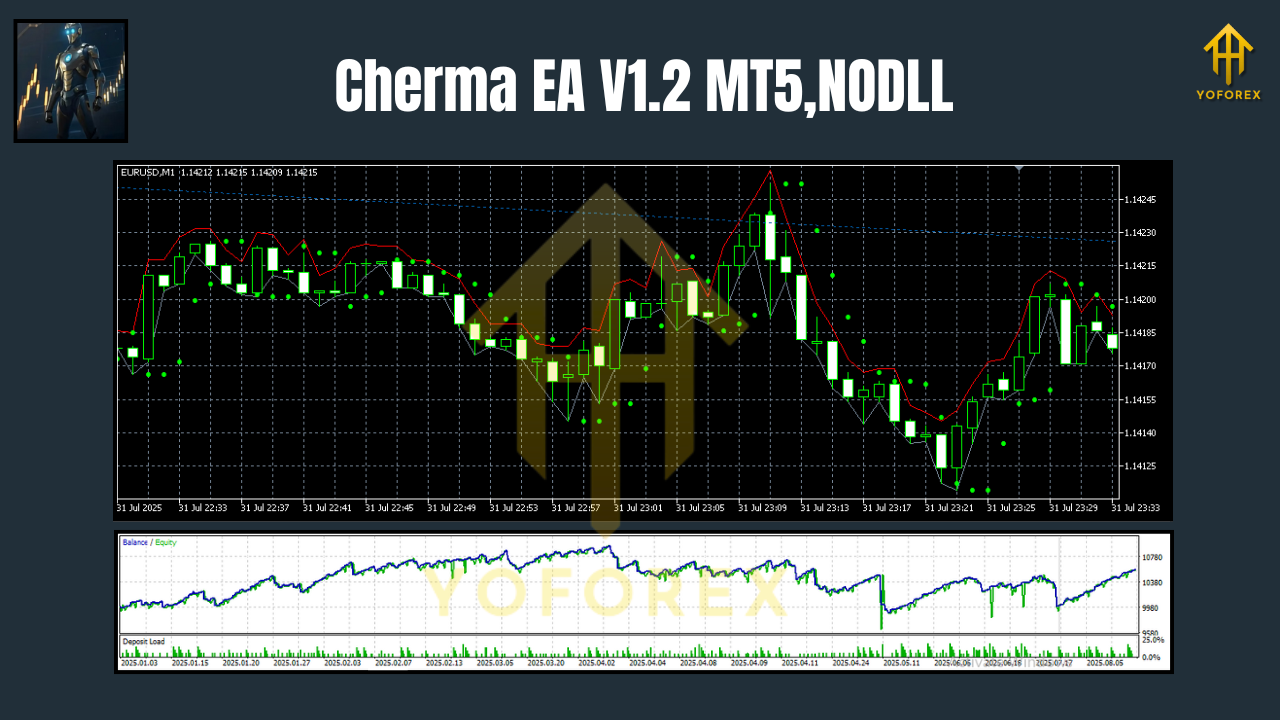
How Cherma Works
At its heart, Cherma looks for micro momentum shifts—those short, sharp price displacements that push through local highs/lows and often run for a few points. It layers in:
- Momentum confirmation (recent bar impulse + volatility threshold).
- Liquidity sweep logic to avoid chasing obvious fakeouts.
- Spread & slippage checks so entries don’t happen into bad fills.
- Time-of-day bias; activity is prioritized when order flow is richest.
- Dynamic stops/take profits that adapt to current ATR, avoiding fixed, rigid TP/SL that get out of tune when volatility changes.
You don’t need to babysit it, tho you should still keep an eye on broker conditions, VPS stability, and news. It’s a scalper—the pipeline matters.
Key Features
• M1 & M5 scalping engine optimized for XAUUSD, EURUSD, GBPUSD
• Session filters (London/NY focus) to trade when liquidity is real
• Spread & slippage protection to skip poor-quality fills
• Dynamic TP/SL aligned with live volatility (ATR-aware)
• No martingale or grid in the default setup (risk remains linear)
• Daily loss cap and max trades per day controls for discipline
• News-time avoidance window (manual time lock)
• Partial close & break-even options for fast risk reduction
• Magic number per chart to multi-chart safely
• Works on ECN/RAW accounts; VPS-friendly
• Backtest-to-live alignment with realistic execution filters
Recommended Settings & Setup
Symbols: XAUUSD, EURUSD, GBPUSD
Timeframes: M1 (hyper-active), M5 (more selective; fewer but often cleaner signals)
Broker: ECN or RAW spread, fast execution, low commissions
Leverage: Use responsibly; scalping doesn’t fix over-leverage
VPS: Strongly recommended—<5–10 ms to broker if possible
Installation (MT5):
- Open MT5 → File → Open Data Folder.
- Drop the EA file into MQL5 → Experts.
- Restart MT5 and find Cherma EA V1.2 under Navigator → Expert Advisors.
- Drag it onto your M1 or M5 chart (XAUUSD/EURUSD/GBPUSD).
- Tick “Allow Algo Trading” and confirm inputs.
- Set Risk % per trade, max spread, time filters, and daily loss cap.
- Enable Auto Trading (top toolbar). You’re live.
Input Highlights:
- RiskPerTrade: Start small (e.g., 0.3–0.8%).
- MaxSpread (points): Calibrate to your broker; Gold spreads widen—be realistic.
- TradingHours: Limit to your preferred sessions.
- MaxDailyLoss / MaxTradesPerDay: Keeps the day survivable.
- BreakEven/Trail: Optional, but helpful in spiky conditions.
Risk & Money Management (What Actually Matters)
Scalping lives and dies by execution costs. Keep your position size modest until you understand how your broker fills gold vs majors during peak hours. Don’t widen max spread “just to get filled”—that’s how EAs rack up red days. Consider risk throttling on Fridays and during major news. If you must run into news, lock trading for a buffer period before/after.
For portfolio-style control, cap the number of simultaneous charts and keep a global daily drawdown limit (via the EA or a master risk manager). Your future self will thank you.
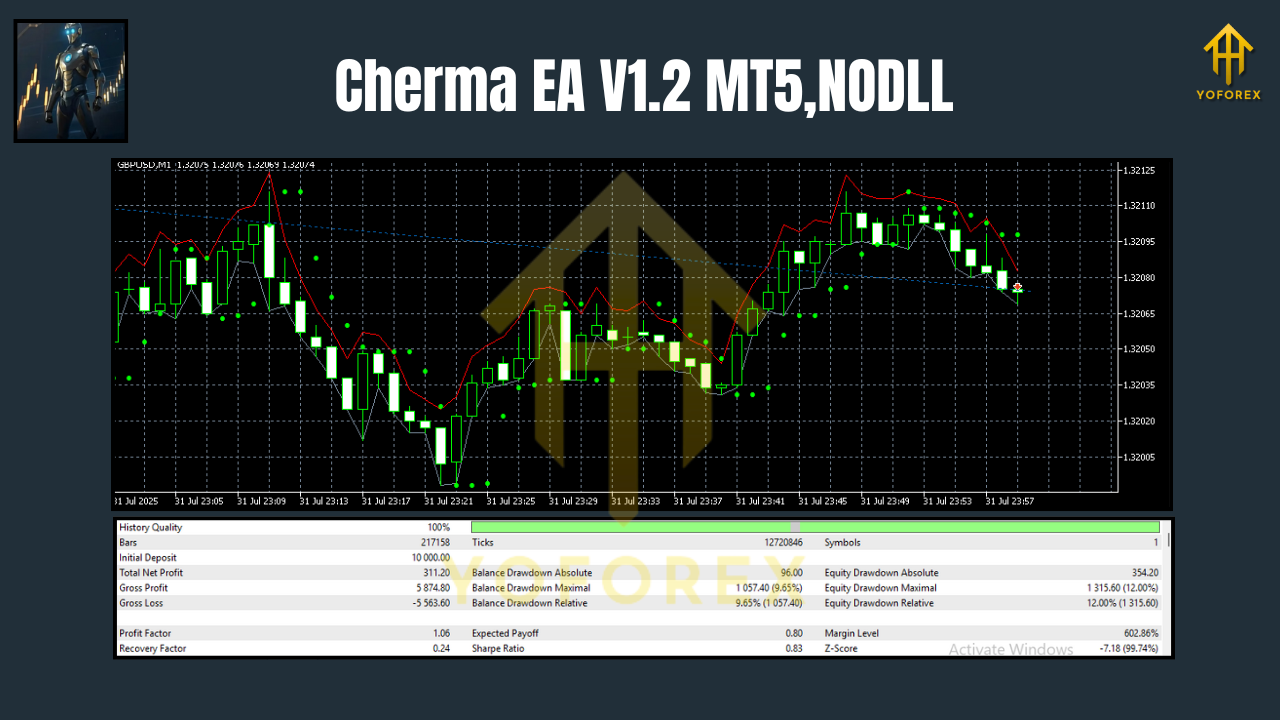
Backtest Notes & Live Expectations
Backtests for scalpers are tricky unless you use quality tick data with variable spreads and slippage simulation. Expect the EA to look best in liquid hours with moderate-high volatility and get choosier in thin markets. A decent benchmark in testing is to aim for a healthy profit factor (>1.3) with max drawdown kept in check and low average trade duration (minutes). That consistency—lots of small wins, quick scratches, controlled losses—is exactly what you want to see.
Live, results will depend on broker, latency, and spread quality. The good news: Cherma’s built-in filters are designed to avoid low-quality fills and skip marginal trades, so the EA doesn’t overtrade when conditions are bad. That restraint is a feature, not a bug.
Best Practices & Pro Tips
- One pair per chart with unique Magic Numbers.
- Start on M5 if you’re new to scalping; then move to M1 once you’re comfy.
- Observe live fills for a few days at micro risk to calibrate MaxSpread.
- Use a VPS close to your broker (low ping).
- Keep logs and review sessions where the EA skipped trades—those filters saved you.
- Don’t chase news candles. Let the EA re-sync after volatility spikes.
Who Is Cherma EA For?
- Active scalpers who want precise entries and fast exits.
- Gold traders who understand XAUUSD’s temperament (it bites; Cherma’s filters help).
- Beginners to intermediate users looking for an EA with clear risk controls and session-based logic.
- Traders with ECN accounts and a VPS who care about clean execution.
Final Thoughts
Cherma EA V1.2 MT5 is for traders who value fast, disciplined execution over flashy promises. It’s compact, honest about market conditions, and designed to protect you from the usual scalper pitfalls: bad fills, dead spreads, and over-trading. If you’re serious about M1/M5, this is a clean, modern approach that respects risk and time-of-day dynamics.
Join our Telegram for the latest updates and support


Comments
No comments yet. Be the first to comment!
Leave a Comment