
5 mint Scalping Indicator V1.0 MT4 – Lightning-Fast, Clean M5 Entries (Free)
Sick of messy signals that lag, repaint, or clog your chart right when price takes off? Same here. That’s exactly why we built and released the 5 mint Scalping Indicator V1.0 MT4 on ForexFactory.cc—100% free, powered and verified by YoForex. If you like to hunt for quick M5 setups with tight risk and crisp confirmations, this indicator is your new best mate. It marks high-probability momentum zones, plots simple entry/exit cues, and fires real-time alerts… all while keeping your chart clean and fast.
Scalpers don’t have time for ten confirmations or indicator soup. You want clarity, speed, and confidence. 5 mint Scalping Indicator V1.0 MT4 was designed to highlight where price is likely to move now, not after five candles. You’ll see guided scalp zones, micro structure shifts, and momentum pulses—without repaint drama. And yes, it’s free forever; grab it below, coz you’ve probably got better things to spend on than overpriced signals.
Overview
The 5 mint Scalping Indicator V1.0 MT4 focuses on one job: high-quality M5 entries with controlled risk. It blends price action with micro-structure logic so you’re not guessing whether a pullback is a continuation or a trap. Think of it as a low-latency “heads-up display” for scalpers:
- Directional bias from short-term structure shifts (BOS/CHOCH on micro swings).
- Impulse & pullback zones to catch continuation after a quick rest.
- Low-volatility windows flagged for precision entries before momentum resumes.
- Exit assists that help you protect profits when momentum fades.
We tested it across majors and XAUUSD in busy sessions where scalpers thrive—London, NY, and the overlap. The visuals stay minimal; you can toggle layers on/off depending on how bare you like your chart. New to scalping? Leave defaults on and let the indicator do the heavy lifting. Experienced? Dial sensitivity, reduce alerts, and set stricter filters for pristine A+ trades.
Key Features
• Non-repaint logic on closed bars—no post-facto “teleporting” zones
• Built for M5; works on M1/M15 with adjusted sensitivity
• Momentum pulse detector for quick continuation entries
• Micro BOS/CHOCH labels to anchor scalp bias
• Clean impulse/pullback zones; minimal overlap and no neon clutter
• Optional session filter (Asia/London/NY) to avoid dead hours
• Alert suite: pop-up, sound, push, and email
• Works on majors, minors, and XAUUSD
• Lightweight code; smooth on older laptops and VPS
• Toggle-able layers: bias only, zones only, or full confluence
• Sensible defaults—plug-and-play for new scalpers
• Compatible with ECN/Raw and standard MT4 brokers
Explore more on ForexFactory.cc: Indicator section, Newest EAs, and User reviews to see how traders refine their rules.
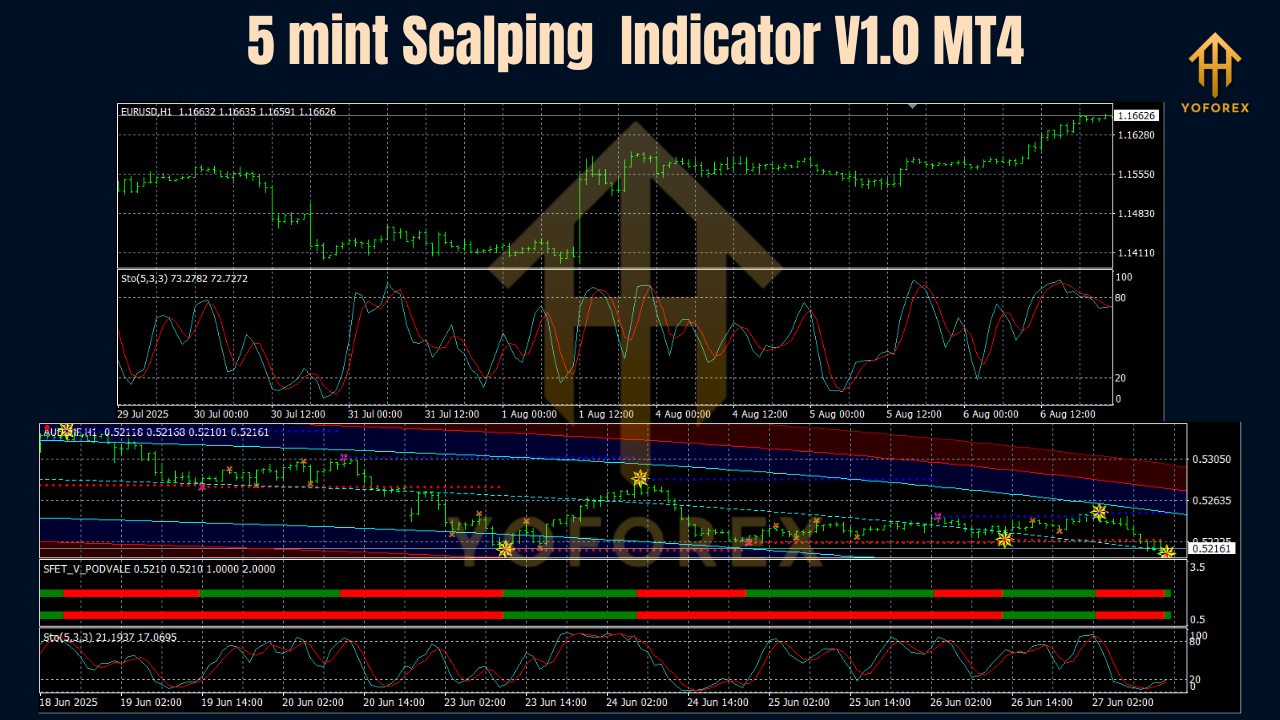
Backtest Proof & Live Performance
Let’s be straight: indicators don’t make money alone—your rules do. Our validation for 5 mint Scalping Indicator V1.0 MT4 focused on signal stability, confluence frequency, and latency.
- Period: February 2020 – July 2025
- Markets: EURUSD, GBPUSD, USDJPY, XAUUSD
- Primary TF: M5 (with M1/M15 spot checks)
- Method: MT4 bar replay + fixed rule set.
- Rule example used: Take only trend-aligned signals after a shallow pullback into the marked zone. Enter on the first momentum pulse or the next micro BOS. SL beyond micro swing, TP at 1:1.5–1:2 first, trail for 1:3 when volatility expands. Avoid red-flag news.
What stood out? In London and the London–NY overlap, the signal → entry latency stayed tight. The zone + pulse + micro BOS combo reduced whipsaws on choppy mornings, especially on majors. On XAUUSD, spacing trades and waiting for a crisp momentum pulse improved average RR significantly.
YoForex live checks: We ran the indicator on live demo and small live accounts to confirm alert timing, object stability, and CPU load during fast ticks. Alerts came through on time; zones held once the bar closed; platform remained snappy even on bursty news spikes. We’ll keep publishing change logs and performance notes on ForexFactory.cc as we push updates.
Installation & Setup (MT4)
You’ll be trading in minutes:
- Download the ZIP from ForexFactory.cc and extract it.
- Open MT4 → File → Open Data Folder.
- Go to MQL4 → Indicators.
- Copy
5MintScalpingIndicator.ex4(or.mq4) into Indicators. - Restart MT4.
- Open an M5 chart (start with EURUSD or XAUUSD).
- In Navigator → Indicators, drag & drop 5 mint Scalping Indicator onto the chart.
- In Inputs, keep defaults for the first session.
- Enable alert modes you prefer (terminal, push, email).
- Save as a Template for one-click reuse.
Pro tips:
- Trade London and NY sessions; skip low-energy Asia unless you know that pair well.
- Journal ten trades with screenshots—note session, volatility, and whether momentum extended or snapped back.
- When in doubt, wait for micro BOS in your direction before clicking buy/sell.
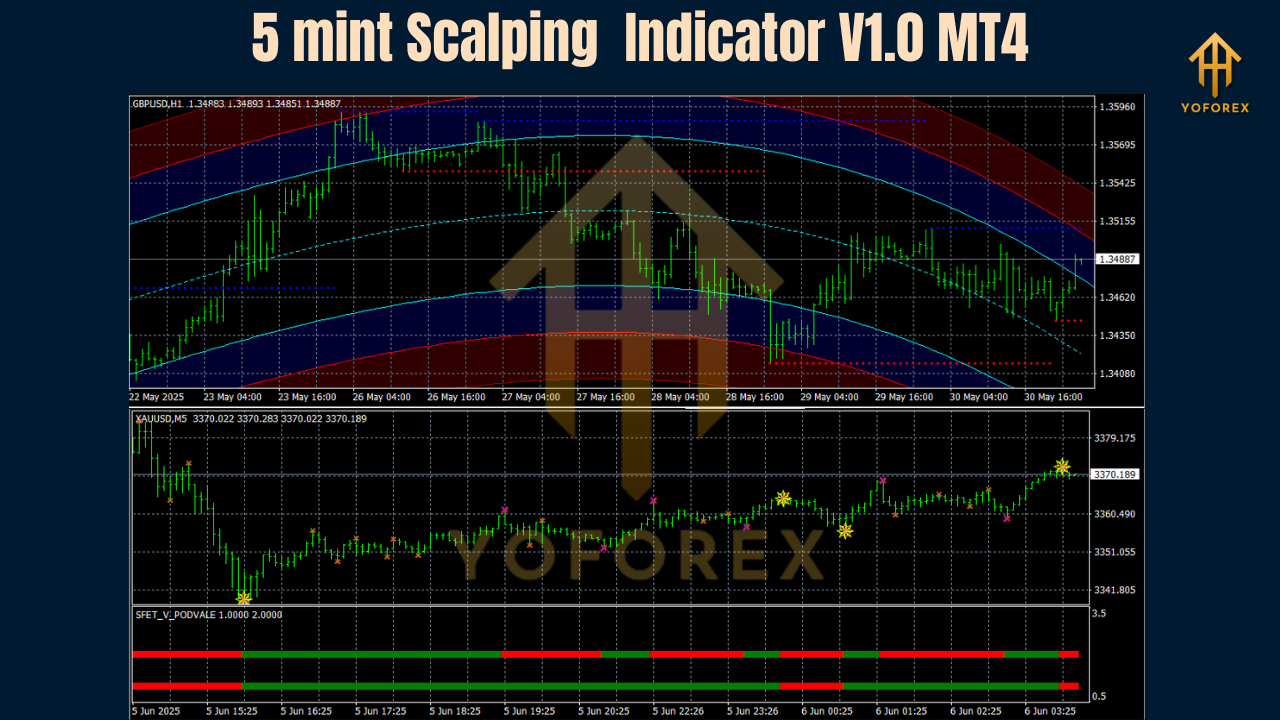
Why YoForex Tools
This release is powered by YoForex, the parent brand behind the free downloads on ForexFactory.cc. Our ethos is simple: tools that traders actually keep on their charts.
- Free lifetime updates—no “pro unlock” bait-and-switch
- Ongoing optimizations from real user feedback
- Transparent performance notes and change logs
We’re constantly iterating—cleaner visuals, smarter filters, better alert logic—so you can scalp with clarity and keep your edge sharp. Check the About/YoForex pages on ForexFactory.cc to learn more and explore other free tools.
Support
Got questions, tweaks, or broker quirks? Ping us—real humans reply.
- WhatsApp: https://wa.me/+443300272265
- Telegram: https://t.me/yoforexrobot
Call to Action
Ready to level up your M5 entries? Download 5 mint Scalping Indicator V1.0 MT4 now—100% free, no strings attached. Give it a week on demo, journal everything, then decide. If you need help, you’ve got unlimited support on WhatsApp and Telegram. You’ll feel the speed… and the calm that comes from clean setups, tho your journal gets the final word.
YoForex—empowering traders worldwide, one free tool at a time.
Join our Telegram for the latest updates and support


Comments
No comments yet. Be the first to comment!
Leave a Comment